Showing posts with label ด้านการจัดการ ดูแลเครื่อง. Show all posts

Wednesday, December 7, 2011

O&O SafeErase Ver. 5.1 Build 636 Professional Edition


O&O SafeErase Ver. 5.1 Build 636 Professional Edition
         ..ก็อย่างที่หลายๆ ท่านอาจจะเคยได้ยินมานะครับว่า... การลบไฟล์แบบธรรมดา ถึงแม้เราจะลบไฟล์ทิ้งไปแล้ว แต่ถึงยังไงเราก็สามารถกู้คืนกลับมาได้ตลอดเวลา เพราะจริงๆ แล้ว มันเป็นเพียงแค่การลบชื่อไฟล์ออกไปจากระบบไฟล์เท่านั้น ข้อมูลสำคัญทางกายภาพยังคงอยู่ดีเหมือนเดิม ไม่ได้หายไปไหน จนกว่าพื้นที่บริเวณนั้นจะถูกเขียนซ้ำแทนที่ทั้งหมด แม้กระทั่งการ Format ฮาร์ดดิสก์ ก็อาจจะยังสามารถกู้คืนข้อมูลกลับได้เช่นกัน!
         ..และถ้าคุณเป็นคนหนึ่งที่มีไฟล์สำคัญๆ เก็บไว้ในเครื่องคอมพิวเตอร์ของคุณมากมาย แต่วันนึง! คุณอยากจะลบมันทิ้งไปแบบถาวร ไม่ให้มีใครสามารถกู้คืนกลับมาได้อีก คุณจะทำยังไงล่ะ? ..ด้วย O&O SafeErase จะทำให้การลบไฟล์ที่เป็นความลับของคุณ กลายเป็นความลับไปตลอดกาล!! ไม่มีใครสามารถกู้คืน หรือล่วงรู้ความลับของคุณได้อีก
Release Date : 26/10/2011

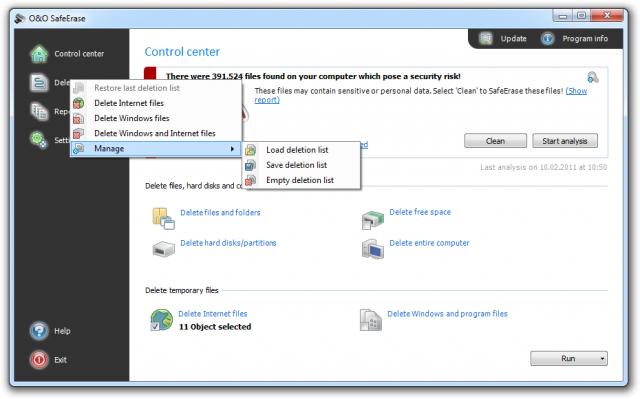
ScreenShots
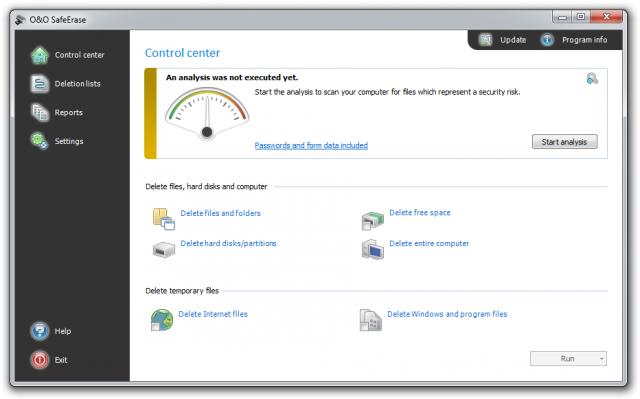
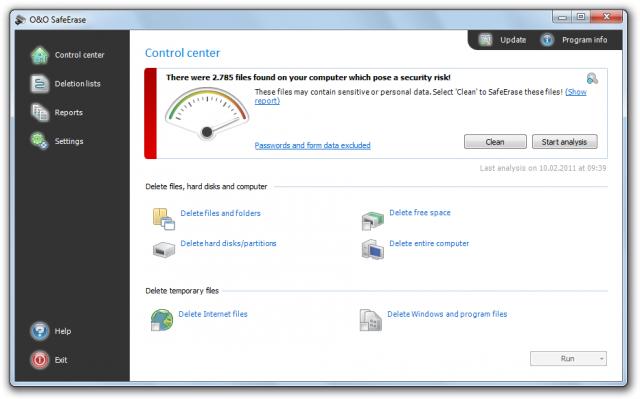
1. Start page of O&O SafeErase before the analysis.
2. Start page of O&O SafeErase after the analysis.
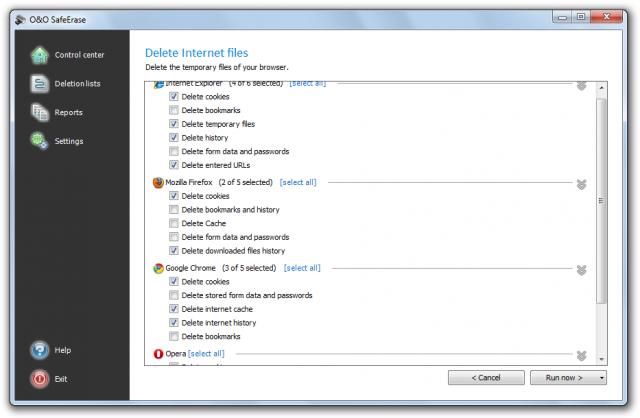
3. Seletion of browser files.
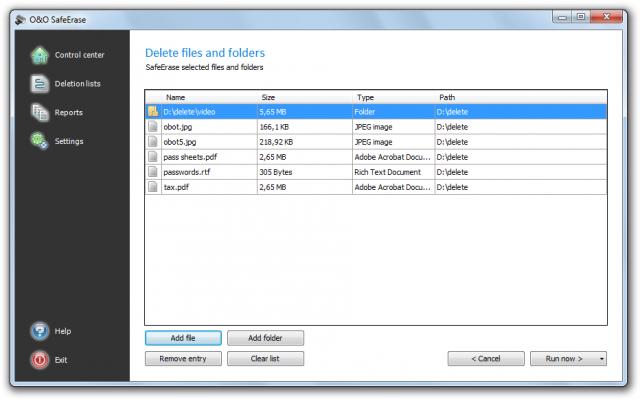
4. SafeErase individual files.
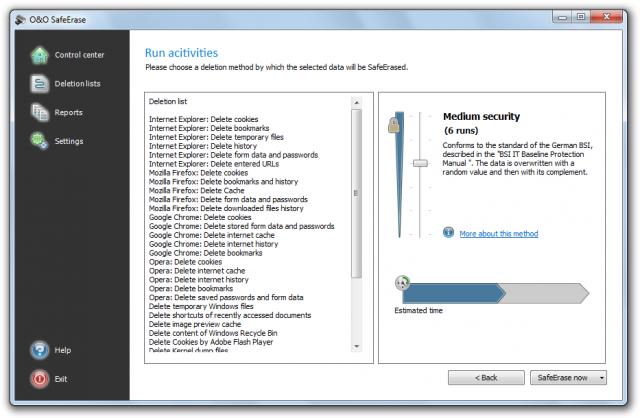
5. Select deletion method.
6. SafeErase files via right-clicking.
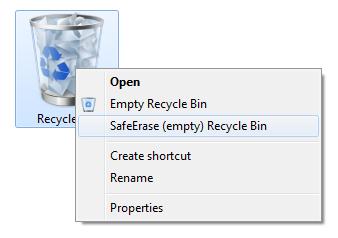
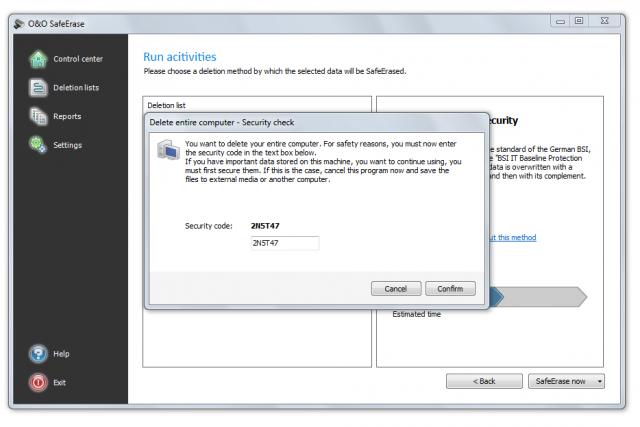
7. SafeErase entire computer.
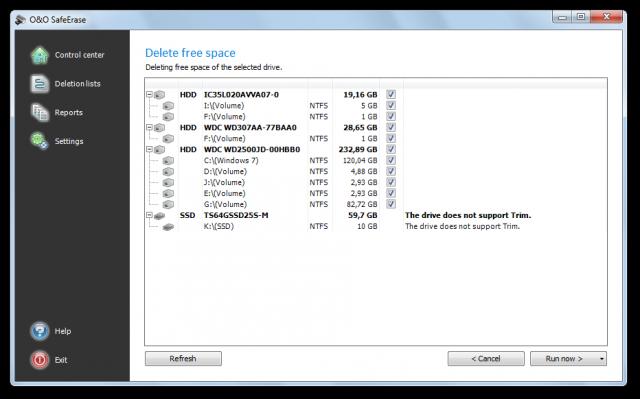
8. SafeErase free space.
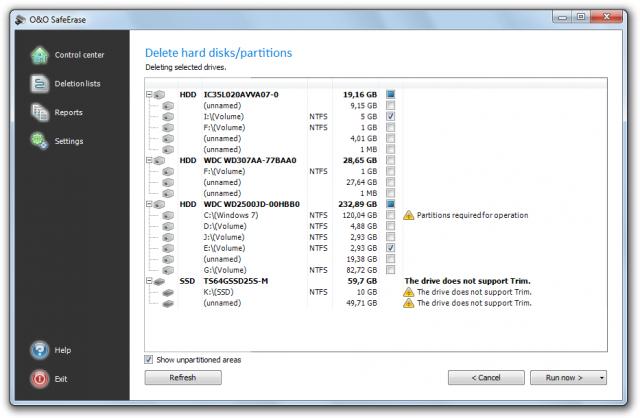
9. SafeErase individual partitions.
10. Manage deletion lists.
Homepage : http://www.oo-software.com/en/products/oosafeerase/professional
Operating System : Windows 7 / Vista / XP
ภาษาอังกฤษ ดูคุณสมบัติกันแบบละเอียดได้เลยครับ
Features : คุณสมบัติของโปรแกรม
• SafeErasing : 
   - Files / folders and individual partitions
   - Memory cards and USB data volumes
   - Free hard disk space
   - Entire computer no boot medium necessary
   - Internet and temporary program files
• Securely move files and folders
• Six methods to permanently delete sensitive data
• Complete integration into Windows Explorer
• Detailed reports as proof of deletion
• Speed optimization of deletion processes
• NEW : Analysis tool to search for unsafely deleted files
• NEW : Adapted deletion method for SSDs
• NEW : Enhanced report and activity management
Wednesday, June 15, 2011

NoClone 2011 Ver. 5.0.44.0


NoClone 2011 Ver. 5.0.44.0 Enterprise Edition
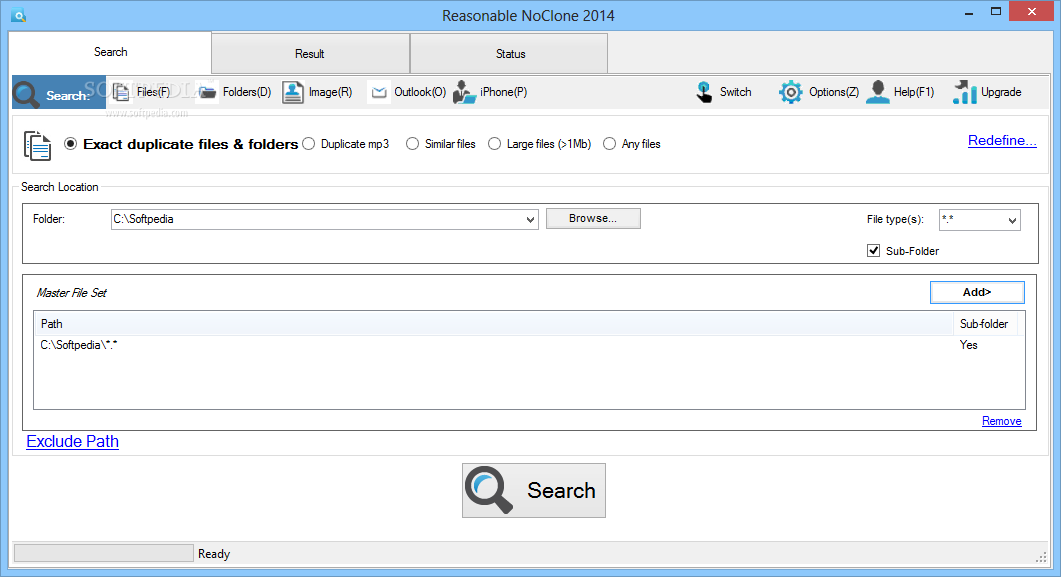
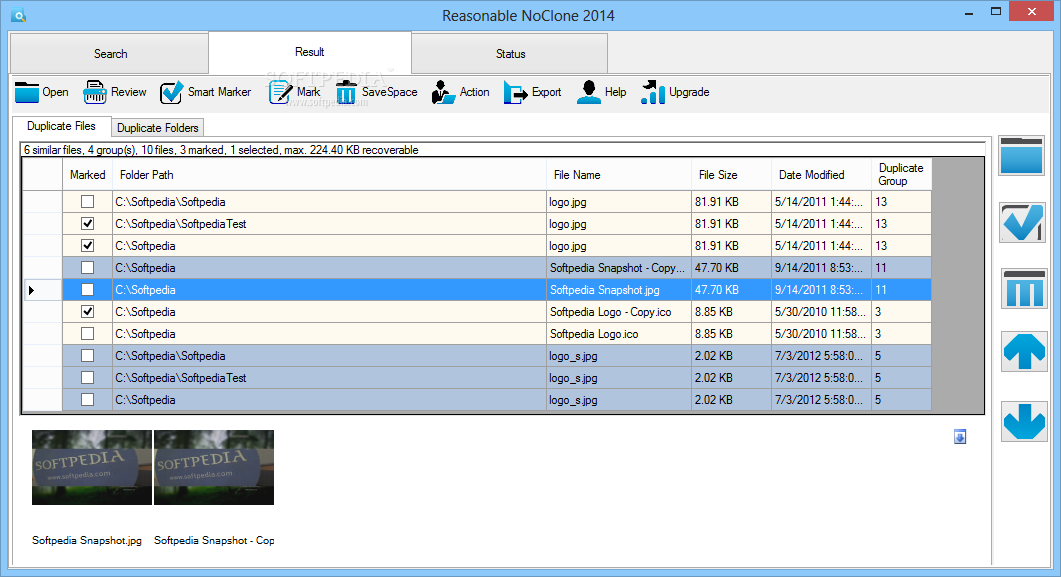
• ซอฟท์แวร์ที่มีประสิทธิภาพสำหรับค้นหาและลบไฟล์ที่ซ้ำกันในเครื่องคอมพิวเตอร์ได้อย่างรวดเร็ว ...ไม่นานก็ได้พื้นที่ฮาร์ดดิสก์กลับคืนมาแระ!
Release Date : 11/05/2011

ScreenShots

.
..

.
..

Homepage : http://noclone.net/
Platforms : Windows 2000 / XP / Vista and 7
ภาษาอังกฤษ ดูคุณสมบัติกันครับ
Features : คุณสมบัติของโปรแกรม
• True Byte-by-byte comparison not by CRC / MD5 totally accurate. Why most accurate?
• Search duplicate files contents and similar files regardless of file name
• Search duplicate pictures (jpg / gif) video (avi / mpg) songs (mp3)  DLLs  Office documents (xls / doc / ppt / pub) pdf and any file types
• Search duplicate Outlook emails (new 2007 v4.1)
• Search files with same contents same name.
• Powerful fuzzy match to uncover similar files (new 2007 v4.1)
• Smart marker of duplicate files by date  version  size  folder and file name pattern
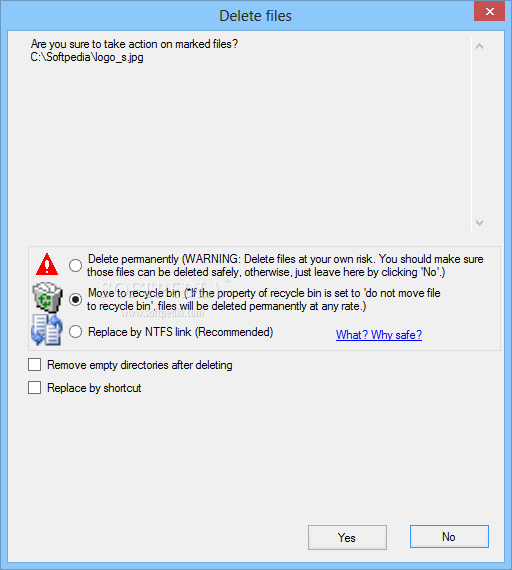
• Replace by NTFS hard link / shortcut (new v4.0)
• Preview files show file versions and properties
• Save search session / Export result to CSV  XLS  XML format
• Search local hard drives and over network - edition comparison
Benefits : ประโยชน์ของโปรแกรม
• Clean up hard disks identify and recover wasted disk space
• Reduce backup time and media used for backups
• Reduce file searching time minimize time used to unneeded virus scanning
• Obtain more free space on "limited" resources like notebooks
• Remove duplicate files to eliminate synchronization problem
• Organize files neat and manage files better
• Cheaper than buying a new hard drive so don t buy new hard drive buy NoClone
..............................................................................................................................
An Effective Tool - Find and Remove duplicate files and recover your valuable Disk Space.
..............................................................................................................................
ราคาขายในเวบอยู่ที่ USD 79.90 ครับผม ดูได้จากที่นี่จ้า : http://noclone.net/buy.aspx
Credit : คนที่คุณก็รู้ว่าใคร

Thursday, June 3, 2010

Privacy Eraser Pro Ver. 8.25


Privacy Eraser Pro Ver. 8.25
         โปรแกรมสำหรับขจัดไฟล์ที่เป็นขยะของเครื่อง ลบได้ทั้ง Internet Explorer (Cache Files - history from Google/Yahoo - Browser History - Cookies - Address Bar History - Index.dat Files - AutoComplete Memory) และ Windows (Recent Documents History - Start Menu Run/Find History - Recycle Bin - Temporary Files Directory - MediaPlayer Recent File List) สนใจลองเอาไปใช้กันนะครับ  ^__^
Release Date : 21/05/2010

ScreenShots
1 - Main Screen

2 - Windows Options Screen

3 - Browsers Options Screen

4 - Plug-Ins Options Screen

5 - File Shredder Screen

6 - Drive Operations Screen

7 - Advanced Options Screen

8 - Schedule Options Screen

9 - Misc. Screen

10 - Screen

Homepage : http://www.privacyeraser.com
System Requirements : Microsoft Windows 98/ME/NT/2000/XP/2003/Vista and 7
ภาษาอังกฤษ ดูคุณสมบัติกันครับ
Main Features of Privacy Eraser Pro : คุณสมบัติของโปรแกรม
• Erase Internet Explorer Cache Files
• Erase Internet Explorer Browser History
• Erase Internet Explorer Cookies
• Erase Internet Explorer Address Bar History
• Erase Internet Explorer Index.dat Files
• Erase Internet Explorer AutoComplete Memory
• Erase Windows Recent Documents History
• Erase Windows Start Menu Run/Find History
• Erase Windows Recycle Bin
• Erase Windows Temporary Files Directory
• Erase Windows MediaPlayer Recent File List
• Erase Internet history from Google/Yahoo
• Support Mozilla Firefox  AOL  Netscape and Opera
• Select which cookies you want to keep
• File Shredder - Secure delete files & folders
• Cleaning Free Disk Space - FAT/FAT32/NTFS
• Scheduled Tasks & Plug-Ins Support
• Free space on your Hard Drive!
• Speed up your computer!
Changes in Privacy Eraser Pro 8.25 : เปลี่ยนแปลงอะไรในเวอร์ชั่นนี้บ้าง
- Added Support for Mozilla Firefox 3.6.3
- Added Support for Google Chrome 4.1.249
- Added Support for Opera 10.53
- Added Support for Safari 4.05
- Fixed Index.dat cleaning issue for Windows 7
- Some improvements
++ รางวัลการันตีนิดหน่อยจ้า

๐๐๐๐๐๐๐๐๐๐๐๐๐๐๐๐๐๐๐๐๐๐๐๐๐๐๐๐๐๐๐๐๐๐๐๐๐๐๐๐๐๐๐๐๐๐๐๐๐๐๐๐๐๐๐๐๐๐๐๐๐๐๐๐

Credit : คนที่คุณก็รู้ว่าใคร

Monday, April 12, 2010


WinUtilities Ver. 9.51 Professional Edition
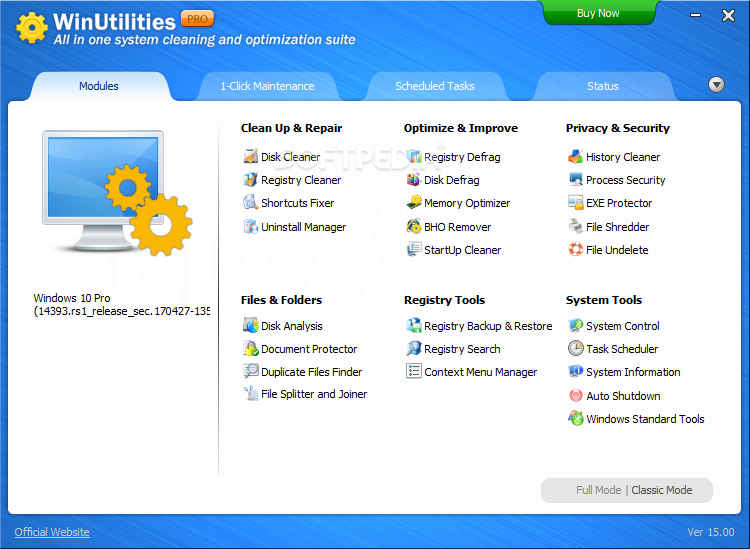
โปรแกรมสำหรับปรับแต่ง PC ที่การันตีด้วยรางวัลชนะเลิศ มีไว้สำหรับเร่งสปีดการทำงานของคอมฯ ให้ทำงานเต็มความสามารถ ด้วย Tools ที่หลากหลาย อาทิ เช่น  File Undelete | Disk Cleaner | Registry Cleaner | Startup Cleaner | Memory Optimizer | Process Manager | Uninstall Manager | Auto Shutdown ฯลฯ  มีไว้ใช้ อุ่นใจแน่นอน ชิมิ!!  ๐__๐
Release Date : 03/04/2010

ScreenShots

.
..

.
..

.
..

.
..

.
..

Homepage : http://www.ylcomputing.com/content/view/9/27/
Supported Platforms : Windows 7/Vista/XP/2003 Server/2000/NT/98
ภาษาอังกฤษ แปลกันเอาเองนะครับ
KEY BENEFITS : คุณสมบัติของโปรแกรม
File Undelete - Recovers deleted files on NTFS and FAT volumes.
Disk Cleaner- Cleans disks from information that clogs your system and reduces the performance of your computer.
Registry Cleaner - Scans the Windows registry and finds incorrect or obsolete information in the Windows Registry.
Startup Cleaner - Helps you to easily manage program execution at windows startup.
History Cleaner - Erases all traces of activity on your computer  save spaces and protect your privacy.
File Splitter - Splits any type of file into smaller pieces and rejoin them to the original file.
File Shredder - Erases files and make sure that no data thief can get his hands on your sensitive data.
File Lock & EXE Protector - Protects any Windows executable file with a secure password.
Memory Optimizer - Optimizes the Memory Management of Windows. No special configuration is needed  Memory Optimizer will auto configure itself.
Duplicate Files Finder - Helps you to free disk space by finding and removing duplicate files from your system.
Shortcuts Fixer - Provides you with an easy way to address the invalid shortcuts and reports back to you so that you can remove it from your system.
Process Manager - Allows you to check your system s performance and manage the running processes.
Uninstall Manager - Manages the programs installed on your system and uninstall unneeded software.
System Information - Shows you the detailed information for your computer hardware and software.
Registry Backup&Restore - Back up and restore the Windows Registry.
Registry Search - Searchs the Windows Registry by a specific wildcard. then you can delete or export them.
BHO Remover - Manages the BHOs that are currently installed.
Auto Shutdown - Schedules your computer for log off  stand by  hibernate  or shutdown at a specific time.
Windows Tools - Provides you an easy way to launch the utilities build in Windows.
System Control - Organizes and manage your Windows Settings
Task Scheduler - Configures the cleaning tasks that take place automatically.
What s New in WinUtilities 9.51 : มีอะไรเพิ่มเข้ามาในเวอร์ชั่นนี้บ้าง
* New launch UI
* Minor bugs fixed
•••••••••••••••••••••
Tools ของโปรแกรม!
•••••••••••••••••••••

=============================
++ รางวัลที่ได้รับจากหลากหลายสถาบันเลยจ้า
=============================

===========================================================

Credit : คนที่คุณก็รู้ว่าใคร

Sunday, April 11, 2010

BWMeter Ver. 5.2.2


BWMeter Ver. 5.2.2
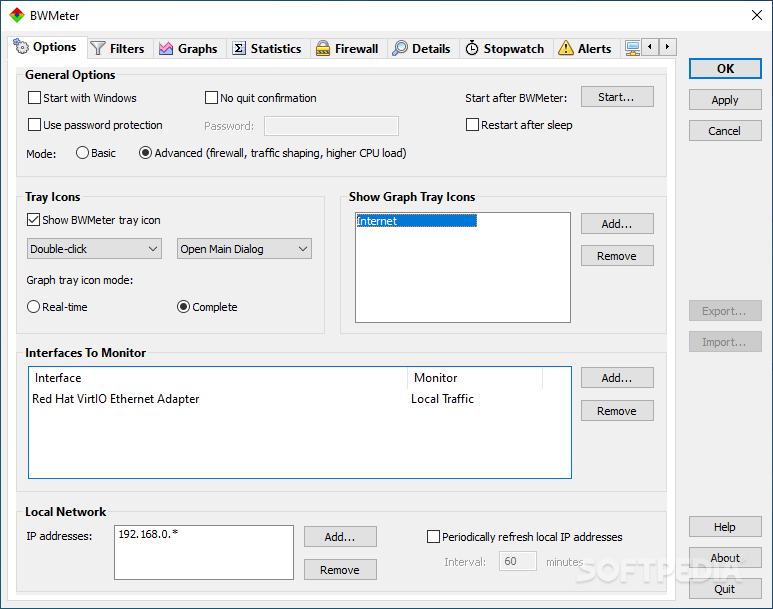
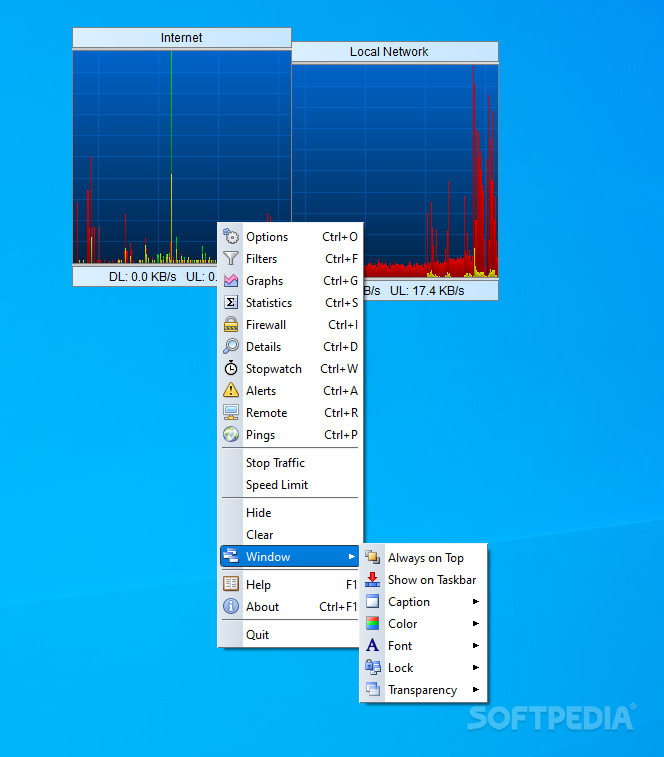
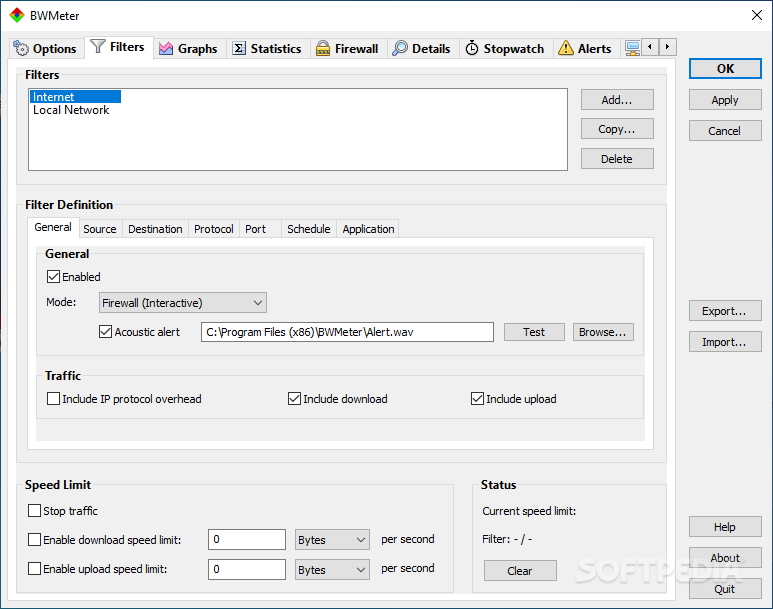
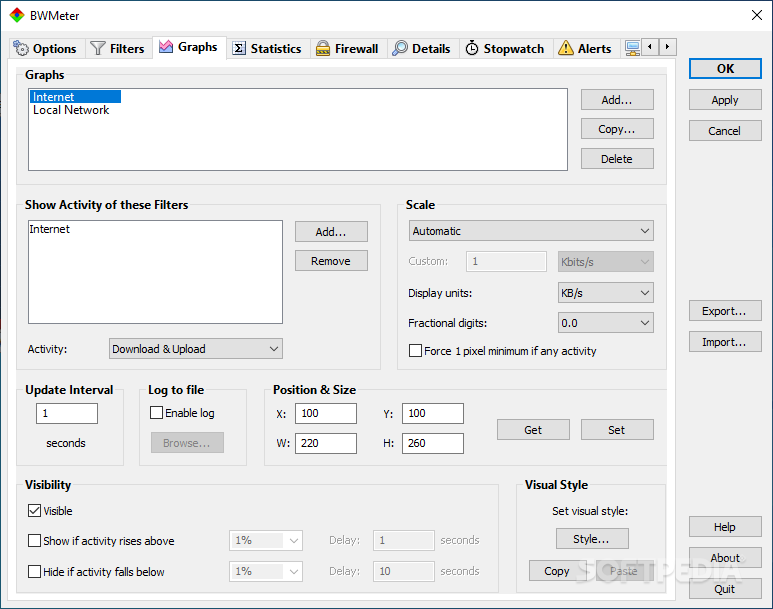
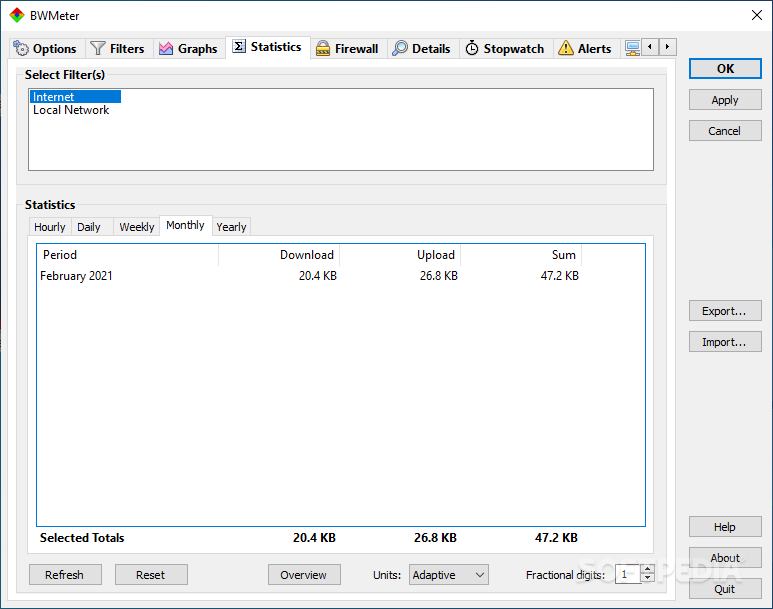
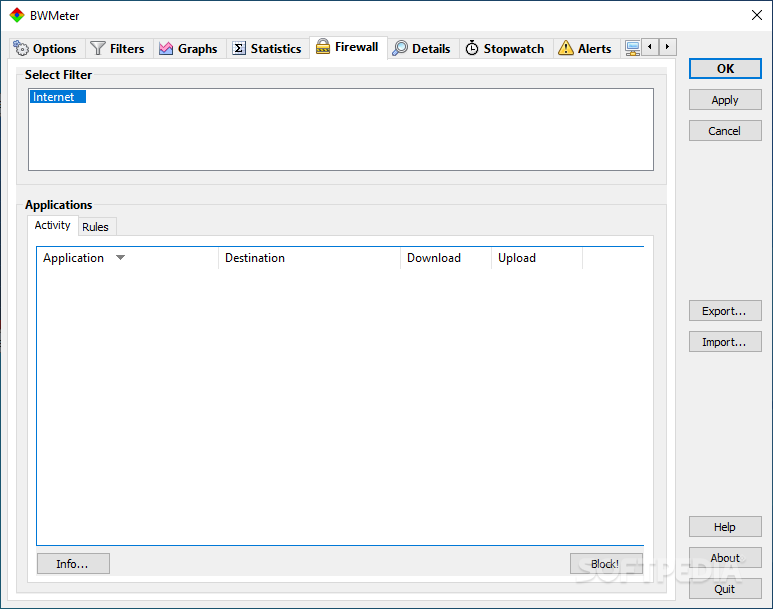
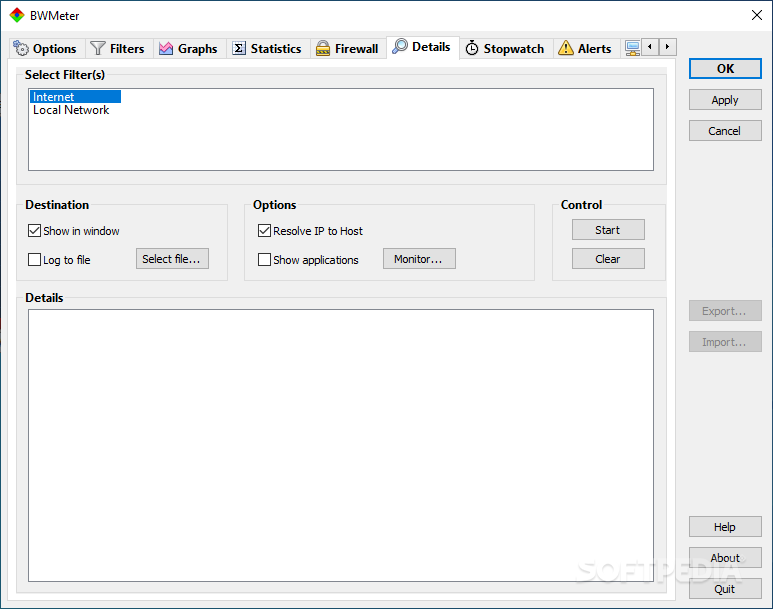
BWMeter  โปรฯ สำหรับใช้ตรวจสอบแบนด์วิดธ์ ทั้งดาวโหลด อัพโหลด และการรับส่งข้อมูลแบบโลคอล ไม่ว่าจะเป็นที่มา ที่ไป และใช้พอร์ตอะไรในการเชื่อมต่อ โดยใช้การแสดงผลในรูปแบบกราฟ ซึ่งสามารถปรับแต่งได้ตามความต้องการ นอกจากนี้ยังสามารถรวบรวม-สร้างสถิติจากคอมพิวเตอร์ในเครือข่ายได้สบายๆ ทีนี้คุณก็สามารถตรวจสอบแบบง่ายๆ ได้ด้วยตัวเอง ว่าคุณใช้แบนด์วิดธ์หมดไปกับอะไรมากน้อยแค่ไหนบ้าง.. (สามารถใช้เป็นแนวทางในการตรวจสอบความเร็วของอินเทอร์เนต หลังจากใช้โปรแกรมช่วยเร่งความเร็วเนตต่างๆ ได้ด้วยครับผม!!)

ScreenShots

.
..

.
..

.
..

.
..

.
..

.
..

Homepage : http://www.desksoft.com/BWMeter.htm
System Requirements : Windows 2000 | Windows XP | Windows XP x64 | Windows Vista | Windows Vista x64 | Windows Server 2003 | Windows Server 2003 x64 | Windows Server 2008 | Windows Server 2008 x64
ภาษาอังกฤษ ดูคุณสมบัติกันแบบละเอียดได้เลยครับ
Key Features : คุณสมบัติของโปรแกรม
• Graphical and numerical display of bandwidth
• User definable filters for measuring bandwidth
• User definable graphs to visualize bandwidth
• Can monitor all network interfaces / adapters
• Can monitor and display all traffic on the network
• Traffic control  access control and speed limits
• Creates daily  weekly  monthly and yearly statistics
• Shows statistics of other computers running BWMeter
• Creates statistics of all local network and internet traffic
• Shows hostile internet traffic (hackers  viruses  etc.)
• Statistics can be exported / imported
• Easy installation and configuration with default options
• Supports LAN  WAN  VPN  ADSL  xDSL  Modem  Dial-Up  etc.
• Can run as a Service (Windows NT  2000  XP and 2003 only)
• Absolute flexibility
• Many options for full customization
• Now with full 64 bit support!
• BWMeter is based on WinpkFilter network drivers.
Changes in Version 5.2.2 : เปลี่ยนแปลงอะไรในเวอร์ชั่นนี้บ้าง
==================
* New : setup distribution in exe file format
- - - - - - - - - - - - - - - - - - - - - - - - - - - - - - - - - - - - - - - - - - - - - - - - - - - - - - - - - - - - - - - - - - - - - -
Credit : คนที่คุณก็รู้ว่าใคร