
Fantastic Flame Screen Saver Ver. 7.0.2
Award-Winning ซอฟท์แวร์สำหรับใช้เป็นสกรีนเซฟเวอร์เอฟเฟ็คท์ไฟลุกท่วมจอ แปลกใหม่! ไม่เหมือนใคร และทีเด็ดเลยคือสามารถทำงานได้ในลักษณะของ Background นั่นก็คือไม่ว่าคุณจะเล่นเนต นั่งทำงาน หรือทำกิจกรรมอะไรก็ตามแต่ โปรแกรมก็จะแสดงผลให้ท่านได้หมด ไม่ว่าจะเป็น พื้นหลัง หน้าต่างโปรแกรม หรือไอคอนต่างๆ ก็ไม่เคยหวั่นครับผม! [ประสบการณ์ใหม่ที่น่าลองจริงๆ พับผ่าดิ!] ^__^
ScreenShots 
.
.. 
.
.. 
.
.. 
.
.. 
Homepage : http://www.laconicsoftware.com/fantastic-flame-fire-screensaver.php
Operating System : Windows All (from 95 to Vista)
ภาษาอังกฤษ ดูคุณสมบัติกันครับ
Features of the screensaver : คุณสมบัติของโปรแกรม
• True mathematical algorithm of the screensaver generates a very realistic real-time fire effects.
• Unlimited number of color combinations of the fire. Really FANTASTIC flame! Additional fire parameters such as wind gust speed and direction and burning intensity.
• Flexible presets system. A lot of ready fire styles comes included.
• The screensaver includes a comfortable fire effects editor with a real-time flame preview.
• Random fire style. You never get tired of watching!
• Lots of awesome fire backgrounds!
• Changing the flame styles and background images periodically in the full-screen mode. A pretty fine effect - burning images to another ones!
• Nice fire sound. There are 9 different fire sounds to choose from. Be aware! Your guests can think you have a big camp fire in your house! (Of course! you re able to mute the sound!).
• Ability to choose any music for playing while the screensaver is running full-screen. Listen your favorite music with the sound of fire in the background! Just watch and relax! Some music titles come included.
• You can take snapshots of your burning desktop anytime. Get fire screenshots with one key press!
• Controlling the screensaver in the full-screen mode. Turning fire sound and music on/off loading next flame styles and backgrounds and even changing the fire intensity and wind direction available!
• Full dual monitor support. Danger! Fire around!
• A special feature which allows to launch Fantastic Flame Screensaver anytime you want by pressing a hotkey. Let s scare your friend!
• And at last! Fantastic Flame Screensaver loads your system less than most of animated 3D screensavers
- - - - - - - - - - - - - - - - - - - - - - - - - - - - - - - - - - - - - - - - - - - - - - - - - - - - - - - - - - - - - - - - - - - - - - - - - -
Fantastic Flame Screen Saver - Award-Winning screensaver generates a realistic fire effect.
Friday, March 13, 2009
Fantastic Flame Screen Saver Ver. 7.0.2


Friday, October 24, 2008
Active Desktop Calendar

Active Desktop Calendar Ver. 7.64 Build 081020
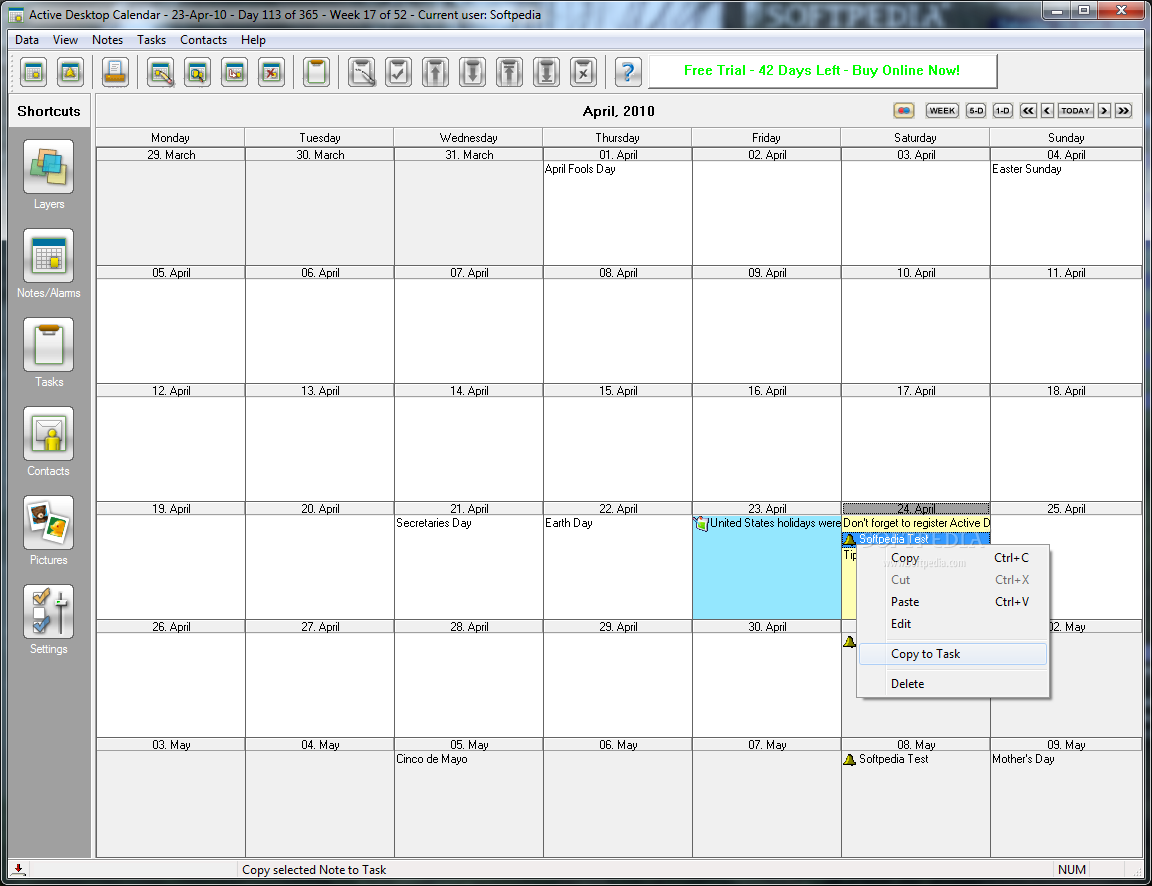
เป็นโปรแกรมที่ใช้สำหรับแสดงปฏิทินจอบน Desktop ของท่านครับ โปรแกรมนี้ยังสามารถที่จะสร้างตารางการนัดหมายของท่านได้ด้วยนะครับ ซึ่งท่านจะไม่พลาดนัดสำคัญของท่านเลยครับ (ถ้าท่านไม่ลืมนะครับ) อิอิ ลองเก็บไปเล่นกันดูจ้า ^__^
Release Date : 23/10/08 
ScreenShots 
.
.. 
.
.. 
.
.. 
Homepage : http://www.xemico.com/adc/
Supported OS : Windows 2000/XP/Vista
ภาษาอังกฤษ ดูคุณสมบัติกันได้เลยครับผม
Features : คุณสมบัติของโปรแกรม
- Blends data with desktop wallpaper
- Calendar notes tasks alarms contacts
- Many recurrence patterns for notes/alarms
- Interactive desktop interface
- Fully customizable (icons fonts colors)
- Data export/import/print (CSV iCal)
- Included preset calendars with holidays
- Detects Tablet PC desktop orientation
- Dual/multi monitor systems supported
- Group calendar data in layers
- Share data layers on a local area network
- Direct connection with Outlook
- Google calendar support
- Automatic data backup
- Many icons available for marking notes
- Native 64-bit version available
What is new in Active Desktop Calendar 7.64 : เปลี่ยนแปลงอะไรในเวอร์ชั่นนี้บ้าง
• Printing monthly calendars in color
If you used different text colors for notes and layers now you can get a printout in color too. To get your calendar printed in color just look for the checkbox labeled "Print calendar in color" on the Print Calendar dialog box and enable it.
===========================================================
Wednesday, October 15, 2008
EarthView

EarthView Ver. 3.9.4
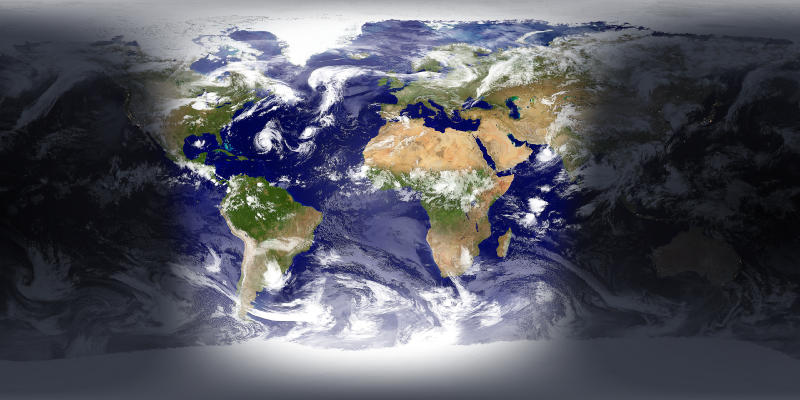
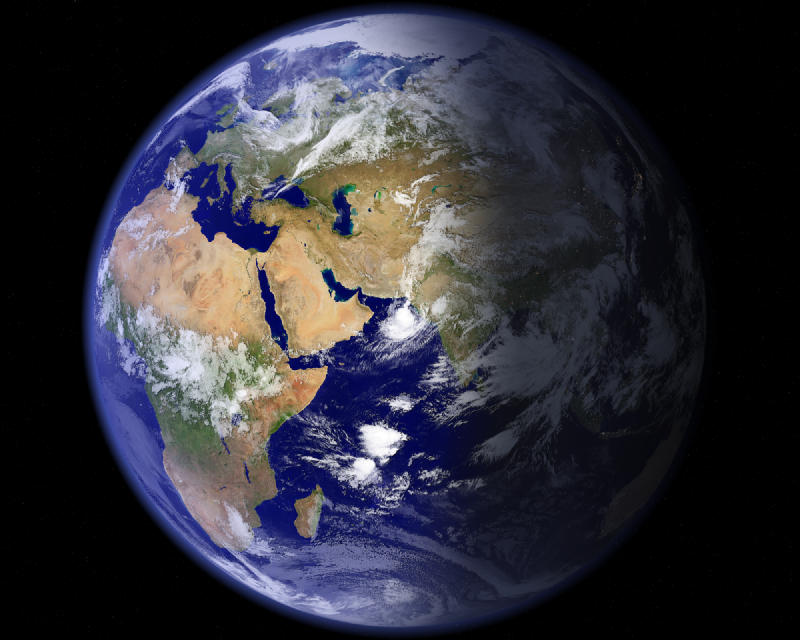
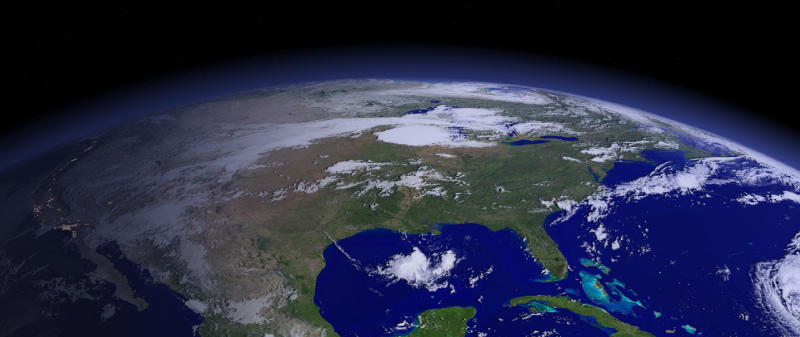
เด่นๆ ของโปรแกรมนี้ นอกจากจะมีกราฟฟิกที่สวยงามมากมากแล้ว โปรแกรมนี้ยังมีลักษณะเป็น Dynamic กล่าวคือ เปลี่ยนแปลงไปตามสถานการณ์จริง เช่น กลางวัน กลางคืน เป็นต้น สามารถ zOOm ZooM ได้ระยะทาง 10 กิโลเมตร และรองรับความละเอียดของหน้าจอได้ถึง 1600x1200! เลยทีเดียว....สนใจมีโลกไว้ในครอบครองก็เชิญเก็บกันได้เลยครับผม งุงิ ^_^
Release Date : 15/10/2008 
ScreenShots 
.
.. 
.
.. 
.
.. 
.
.. 
.
.. 
Homepage : http://www.desksoft.com/EarthView.htm
System Requirements : Windows 95/98/ME/NT 4.0/2000/XP/2003 or Vista
ภาษาอังกฤษ ดูคุณสมบัติกันเอาเองครับผม
EarthView main features : คุณสมบัติของโปรแกรม
* High detail view of the earth
* Day and night view
* Urban areas and city lights
* Clouds
* Three beautiful maps to choose from
* Locations of more than 3000 Cities with local time
* Map and globe projection
* Wallpaper and screen saver support
* Multiple monitor support
* Many options for full customization
* and much more...
Changes in Version 3.9.4 : เปลี่ยนแปลงอะไรในเวอร์ชั่นนี้บ้าง
==================
* Fix : updated city and country database
* Fix : daylight saving of Brazil
============================================================
Wednesday, October 1, 2008
Sea Storm 3D ScreenSaver
Sea Storm 3D ScreenSaver Ver. 1.5 
FEATURES OF SEA STORM 3D SCREENSAVER : คุณสมบัติ
- True 3D environment
- Photo-realistic colourful graphics
- Realistic ocean syrface
- Dynamic tornado simulation
- Amazing atmospherical effects
- Stereo sound FX
- FPS counter
- Password protection
SYSTEM REQUIREMENTS : ความต้องการของระบบ
- Pentium II or higher
- 32 Mb Video Memory
- 10 Mb free space on HDD
- DirectX 8.0 or higher
- Windows 95/98/ME/2000/XP
Saturday, September 20, 2008
EarthView
EarthView Ver. 3.9.2
เด่นๆ ของโปรแกรมนี้ นอกจากจะมีกราฟฟิกที่สวยงามมากมากแล้ว โปรแกรมนี้ยังมีลักษณะเป็น Dynamic กล่าวคือ เปลี่ยนแปลงไปตามสถานการณ์จริง เช่น กลางวัน กลางคืน เป็นต้น สามารถ zOOm ZooM ได้ระยะทาง 10 กิโลเมตร และรองรับความละเอียดของหน้าจอได้ถึง 1600x1200! เลยทีเดียว....สนใจมีโลกไว้ในครอบครองก็เชิญเก็บกันได้เลยครับผม งุงิ ^_^
Release Date : 15/09/2008 
ScreenShots
.
..
.
..
.
..
.
..
.
..
Homepage : http://www.desksoft.com/EarthView.htm
System Requirements : Windows 95/98/ME/NT 4.0/2000/XP/2003 or Vista
ภาษาอังกฤษ ดูคุณสมบัติกันเอาเองครับผม
EarthView main features : คุณสมบัติของโปรแกรม
* High detail view of the earth
* Day and night view
* Urban areas and city lights
* Clouds
* Three beautiful maps to choose from
* Locations of more than 3000 Cities with local time
* Map and globe projection
* Wallpaper and screen saver support
* Multiple monitor support
* Many options for full customization
* and much more...
Changes in Version 3.9.2 : เปลี่ยนแปลงอะไรในเวอร์ชั่นนี้บ้าง
==================
* New : cooperation with fantastic search tool: Crawler Toolbar
* Fix : various small improvements and bug fixes
Wednesday, February 20, 2008
รวมภาพพักหน้าจอมากมาย

อาจมีบางตัว ที่ชื่อไฟล์ไม่ผ่าน โปรแกรมพวก แอนตี้ไวรัสนะครับ ก็ใช้การพิจจารณาเป็นไฟล์ๆไปนะ ไฟล์ไหนที่เพื่อนๆ ไม่แน่ใจ ก็ไม่ต้องโหลดก็ได้ครับ บางตัวจำเป็นต้องลงก่อนนะครับ ลองทำดูไม่ยากครับ
ภาพพักหน้าจอเเจ๋วๆ ฟรีๆ ที่นี่เลยครับ