Showing posts with label ด้านเอกสาร. Show all posts

Wednesday, December 7, 2011

Print2PDF Ver. 9.1.11 Build 0421


Print2PDF Ver. 9.1.11 Build 0421
Print2PDF  ให้คุณสามารถพิมพ์เอกสารออกมาในรูปแบบของไฟล์ PDF จากทุกๆ Application ที่สามารถสั่งพิมพ์ได้อย่างง่ายๆ เลยครับ เรียกได้ว่าถ้าโปรแกรมไหนมีเมนูให้คุณ Print งานออกมาได้แล้วล่ะก้อ คุณก็สามารถ Export มันออกมาให้เป็นเอกสารในรูปแบบของไฟล์ PDF ได้ ..ซึ่งผมรับรองว่าโปรแกรมนี้จะช่วยอำนวยความสะดวกให้คุณประหยัดเวลาไปได้มากเลยล่ะครับผม  ^__^
Release Date : 21/04/2011

ScreenShots
PDF/A conversion

Provide network PDF creation and distribute conversion profiles

Automatic PDF conversion from watched folders and emails

Digital Time Stamp Support

Batch convert multiple do-cuments to PDFs

Homepage : http://www.software602.com/pdf-products/print2pdf
Requirements : Windows XP/Vista/7or Windows Server 2003/2008
ภาษาอังกฤษ ดูคุณสมบัติกันแบบละเอียดได้เลยครับ
Overviews : รายละเอียดของโปรแกรม
Supports the 19005-1 PDF/A archive standard
The PDF/A archive standard ensures that PDF files created today will be usable for years to come. Creates PDF files that are compliant with the new public specification from the International Standards Organization.
Windows Vista and Microsoft Office 2007 ready
Native 64-bit (x64) print driver support along with Windows Vista Windows Server 2008 and Microsoft Office 2007 compatibility will provide you a safe investment in PDF technology well into the future.
Profile support and built-in profiles
Easily control how you create Adobe PDF files. The included built-in profiles provides one-click access to create PDF/A-1b High Quality Output Smallest File Size Watermarked and Standard PDF output.
Create fully compatible Adobe PDF files
Print2PDF creates Adobe PDF compatible do-cuments that are viewable with the FREE Adobe Reader. PDF do-cuments will look exactly as you intended and can be viewed on a broad range of operating systems.
Easy software distribution
Share the print driver from any Windows computer or prepare a client installation for distribution from a flash drive. Once the print driver has been installed on the client future connections to the server are not required and all conversion is performed on the client workstation.
Complete client control with profile support
Control how your users will create PDF files in your organization. Configure default settings output folder & filenames and decide if Microsoft Office and Internet Explorer integration is available.
Supports Terminal Services and Citrix
Reduce your administration costs by centralizing PDF creation on Terminal Services or Citrix MetaFrame Presentation Server. Please read the Citrix MetaFrame Installation Guide for more information.
Batch convert multiple do-cuments to PDF
Save time and convert multiple office do-cuments using the included GUI application or command-line utility to automate conversion on the server. Output PDF files keep the original name to further automate the process.
Supports application integration
Easily add PDF output capability to your application. Print2PDF includes a simple configuration utility to automate conversion. Read the Developer Guide to learn how to integrate Print2PDF into your application.
Merge multiple do-cuments into a single PDF
Create a single PDF from multiple sources (web pages Microsoft Word) to deliver one do-cument that anyone can open using the FREE Adobe Reader software. Append before after or in the middle of a PDF file.
Sign PDF do-cuments with a Digital ID
Sign electronic do-cuments using a digital signature to verify your identity and provide tamper-resistance. Integration with the Windows Certificate Store provides one-click access to your digital signatures.
Secure PDF do-cuments with encryption
Strong PDF security with 40-bit or 128-bit RC4 encryption secures your private do-cument s content. Use this industry accepted encryption standard to easily protect any do-cument.
Authorize PDF access with password protection
Print2PDF supports two levels of password protection. A password can be configured to protect the do-cument upon opening and a different password can be defined to control any do-cument changes.
Easily control PDF content through permissions
Use PDF do-cument permissions to allow or deny do-cument printing changing the do-cument content copying and adding or changing comments & form fields to effectively control the do-cument content.
Create PDF files optimized for the web
Provides the ability to optimize PDF files for quick viewing through the web (fast web view). The linearization process will allow viewers to begin reading the do-cument before it has been completley downloaded.
Includes Integrated SMTP Client
Use the built-in SMTP client to send an e-mail with the PDF attachment to a designated SMTP server. No default e-mail client is required.
Enhance do-cuments with a stamp or watermark
Use the Stamp function to brand your do-cuments by ing an image of a stamp signature or company logo. Easily classify do-cuments with a text watermark (e.g.  Draft   Classified  etc.).
Simple PDF conversion from Microsoft Word
With the included macro easily convert any do-cument into PDF with hyperlink and bookmark support. Toolbar integration with Microsoft Word provides quick one-click conversion.
Add metadata to a PDF do-cument
Control the metadata that is saved to PDF. Easily add a title subject author and keywords to quickly find the do-cument you need within your do-cument management system. Also supports XMP metadata.
Choose PDF do-cument print quality
Choose the resolution (96 to 2400 DPI) to optimize print quality and do-cument file size. Use multiple image compression options to preserve the integrity of the images in the PDF do-cument.

Saturday, November 26, 2011

Solid PDF Tools Ver. 7.1 Build 1260


Solid PDF Tools Ver. 7.1 Build 1260
==> แนะนำฟังก์ชั่นการใช้งานเด็ด ให้สัก 3 ฟังก์ชั่น เรียกน้ำย่อยกันพอหอมปากหอมคอ ดังนี้ :
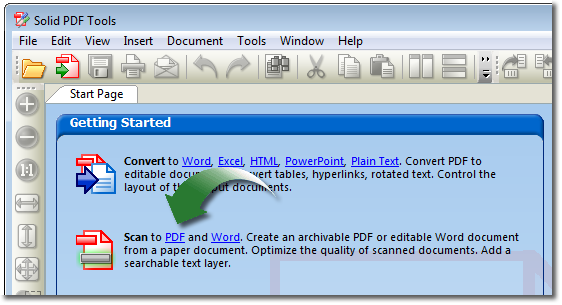
Scan to Word : สแกนเอกสารในรูปแบบกระดาษ A4 ลงโปรแกรม Microsoft Office ได้โดยตรง และสามารถแก้ไขใน Microsoft Word ได้ทันที[แจ่มโคตรๆ อ่ะ ฟังก์ชั่นนี้]
PDF to Word Conversion : แปลงไฟล์ "PDF" ของคุณให้กลายเป็น Microsoft Word เพื่อการแก้ไขที่ง่ายดาย!
Scan to PDF : สแกนเอกสารในรูปแบบกระดาษ A4 ให้กลายเป็นไฟล์เอกสารอิเล็กทรอนิกส์ "PDF" ได้ทันที ไม่ต้องไปผ่านโปรแกรมอะไรให้วุ่นวายใจ ประหยัดเวลาได้ดีจริงจริง!
ฯลฯ
Release Date : 29/10/2011

ScreenShots
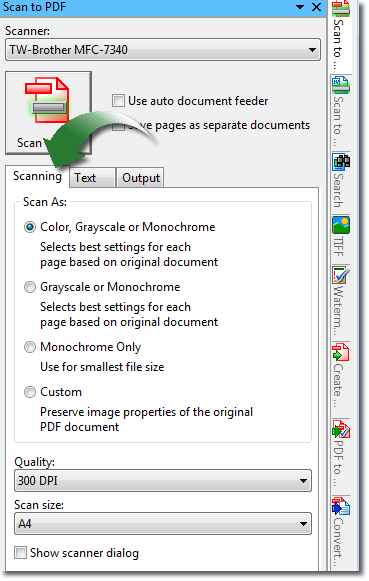
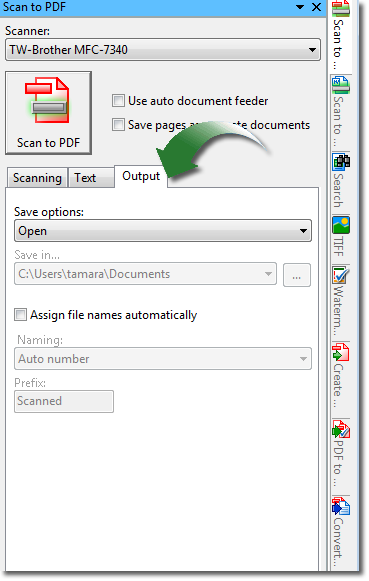
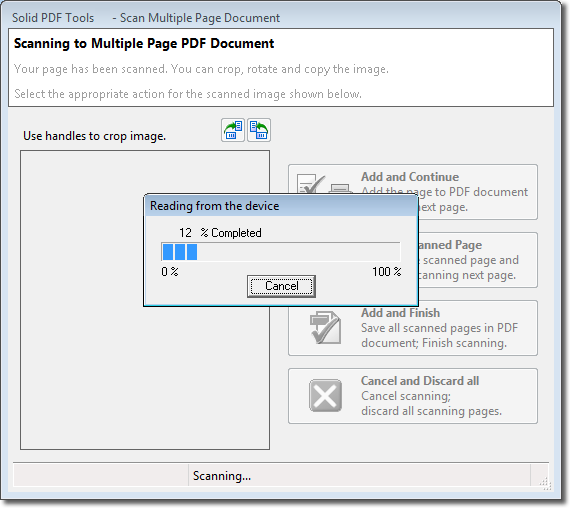
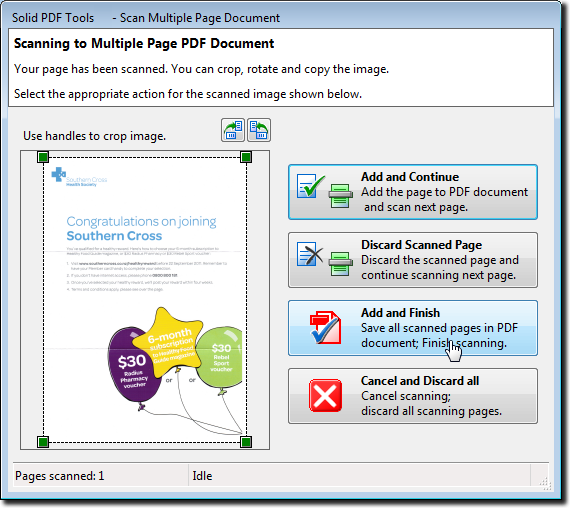
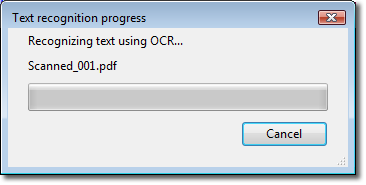
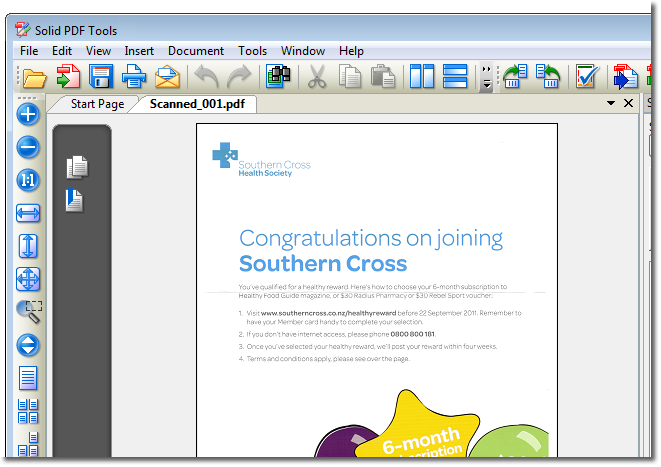
Scan to PDF

Getting Started

Scanning Features

Text Features

PDF Output Features

Scanning Your Document

Preview

OCR (Optical Character Recognition)

Final Result
 

Operating systems : Windows 7 / Vista / 2003 or XP (32 and 64 bit versions)
ภาษาอังกฤษ ดูคุณสมบัติกันแบบละเอียดได้เลยครับ
Features : คุณสมบัติของโปรแกรม
Convert PDF to Word and Content Extraction :
* PDF to Word Converter. Convert your PDF files to Word do-cuments for easy editing.
* PDF to Excel Converter. Convert tables from your PDF files to Microsoft Excel spreadsheets. Select pages or entire do-cument.
* Office Open XML .docx Format. Converts PDF files to Word .docx format without requiring Microsoft Word to be installed.
* Office Open XML .xlsx Format. Converts PDF files to Excel .xlsx format without requiring Microsoft Excel to be installed.
* Include Non-table Data in Excel Sheets. PDF to Excel conversion now offers the option to include non-table data.
* Combine Multiple PDF tables onto 1 Excel Sheet. PDF to Excel conversion now offers the option to combine tables onto a single Excel sheet.
* PDF to PowerPoint Converter. Advanced do-cument reconstruction converts PDFs to PowerPoint presentation files. Office Open XML .pptx filter. Converts PDF to PowerPoint without requiring Microsoft PowerPoint to be installed.
* Text Annotations to Word. Recover text markup in Word.
* Extract Data. Use this to extract data from PDF files to .CSV files. User options include : specify delimiter / line terminator and encoding to be used during extraction.
* File | Export. Export PDF file content to any of the supported conversion formats (.docx / .doc / .rtf / .xlsx / .xml / .pptx / .html or .txt).
* Scanned PDF Recovery. Convert legacy scanned PDF files into well formatted editable Word do-cuments. (Works with Microsoft Office 2003 or Office 2007 ONLY)
* Scan to Word. Scan directly from paper to well formatted / editable Word do-cuments. (Works with Microsoft Office 2003 or Office 2007 ONLY)
* Selective Extraction. Select the content you wish to convert to Word directly from the PDF page. Formatting / styles / layout preserved.
* WYSIWYG Content Extraction. Convert selected text / tables or images from a PDF file. Creates formatted content in Word / tables in Excel or image files.
* PDF to HTML Converter. Use advanced do-cument reconstruction to convert PDF to formatted W3C compliant XHTML. Figures out columns. Removes headers / footers and images.
* PDF to Text Converter. Use advanced do-cument reconstruction to extract flowing text content from PDF. Figures out columns. Removes headers and footers.
* Quality Conversions. No need to waste hours reformatting and reworking your converted Word files.
* Headers and Footers. Advanced options for converting or removing headers and footers.
* Table Recovery. Superior reconstruction of bordered and borderless tables as table objects with formatting in Word.
* Form Recognition. PDF form fields are recognized and converted into text boxes for easy editing.
* Rotated Text Recovery. Convert text from your PDF no matter which way it’s oriented.
* Hyperlink Detection. URL hyperlinks in the original PDF are automatically transferred into the new Word do-cument.
* Convert From Explorer. One click to open PDF do-cument into Word from Windows Explorer.
Scanning and Archiving :
* TIFF to PDF Converter. Convert legacy scanned TIFF do-cuments into fully searchable and archivable PDF/A-1b do-cuments.
* Scan to PDF. Scan paper do-cuments into archivable PDF/A-1b do-cuments. Searchable thanks to OCR text layer.
* OCR for Search. Add searchable text layer. Easy for indexing and archiving legacy and paper do-cuments. (Works with Microsoft Office 2003 or Office 2007 ONLY)
* PDF to PDF/A Converter. Convert existing normal or image PDF files into fully searchable ISO 19005-1 compliant archivable do-cuments.
* Validate PDF/A. Verify ISO 19005-1 compliance for existing PDF do-cuments and repair common issues.
* Standard PDF/A Compliance Reports. Solid PDF Tools creates standard PDF/A validation reports as per the specifications from the PDF/D Consortium.
PDF Editing :
* Text Correction. Simply click on existing text in your PDF and edit it directly.
* Edit Objects. Select one or more objects in your PDF page. Move / rotate / resize or delete. Handle-based editing.
* PDF Creation. Simply drag and drop. Easily create PDFs from your do-cuments. WYSIWYG user interface.
* WYSIWYG User Interface. Multiple do-cument PDF UI for page-level manipulation operations.
* Watermarks. Pre-defined and custom watermarks. Text stamps / images or PDF overlays. Electronic letterheads.
* Combine. Combine multiple do-cuments into a single PDF file. Combine PDF files.
* Rearrange Pages. Use drag and drop to rearrange page order in a PDF file or between multiple files.
* Extract Pages. Extract pages from a PDF file as a single new PDF or as multiple new PDFs for each page.
* Full Search. Fast text search of multiple PDF files. Navigable list of results.
* Batch-Process Conversions. Save time by using batch conversion palettes in the UI or using s--cripts from the command line.
PDF Creation :
* Print to PDF. Create PDF files easily from any Windows-based program.
* Password-Protect your PDFs. You can restrict who can view / edit / copy / print or add comments to your do-cument.
* 256 AES Encryption. This new high level encryption is supported in Adobe Acrobat 9 or higher. 128-bit RC4 or AES encryption algorithms also supported.
* Set PDF Permissions. Control which users can read / print / edit / copy or comment your PDF files.
* Archive Using PDF/A. Create PDF/A-1b do-cuments which are fully compliant with ISO 19005-1 archiving standards.
* 64 bit Platform Support. Solid do-cuments products now run seamlessly on Windows XP 64 / Windows Vista 64 and Windows 7 x64.
* Set do-cument Properties. Define Title / Author / Subject and Keywords to help organize your do-cuments.
* Custom Page Settings. Create PDF files with custom pages sizes / margins and orientation.
* Reduce File Size. Keep your PDFs small with our compression options. Optimize file size for Web or print while preserving an appropriate level of quality.
* Acrobat Reader Settings. Set default view including page layout / initial zoom and page thumbnail view.
* PDF Bookmarks from Office. Automatically create PDF bookmark outlines from Word / PowerPoint / Excel or Publisher do-cuments.

บทความจาก ไทย ฟรีแวร์ By Atomcamfrog