Showing posts with label ด้านการจัดการรูปภาพ. Show all posts

Saturday, November 26, 2011

Sony Vegas PRO Ver. 11.0 Build 424


Sony Vegas PRO Ver. 11.0 Build 424
Sony Vegas  ใช้ตัดต่อวีดีโอได้ทุกรูปแบบ ไม่ว่าตัด..ต่อ..รวม..แยก..ซ้อน..ใส่ Transition..ใส่ Video FX ต่างๆ ตลอดจนการเพิ่มเทคนิคพิเศษให้งานวีดีโออีกนับร้อยนับพันรูปแบบ พูดได้คำเดียวว่า คุณอยากทำอะไรกับไฟล์วีดีโอที่มีอยู่ ทั้งทำงานระดับพื้นฐานไว้ดูเล่น หรือทำงานระดับมืออาชีพเพื่อนำไปเผยแพร่ผ่านสื่อจริงๆ โปรแกรม Sony Vegas ช่วยจัดการให้ได้หมด
Release Date : 01/11/2011

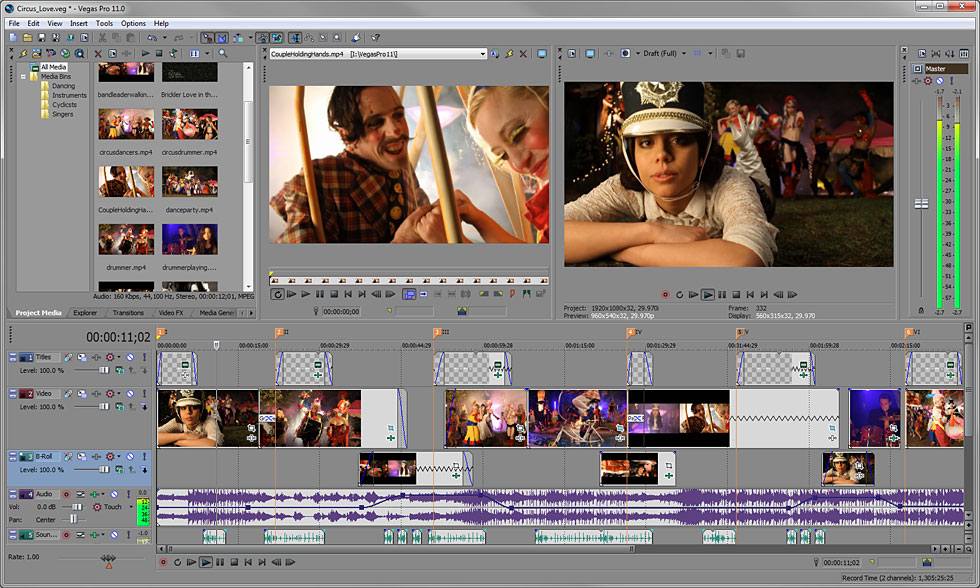
ScreenShots
Vegas Pro 11
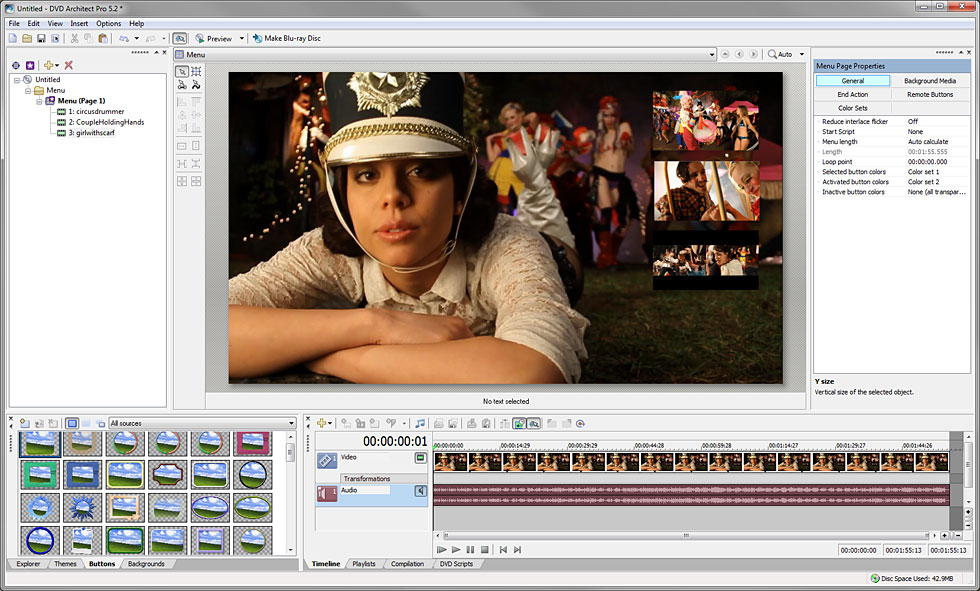
DVD Architect Pro 5.2
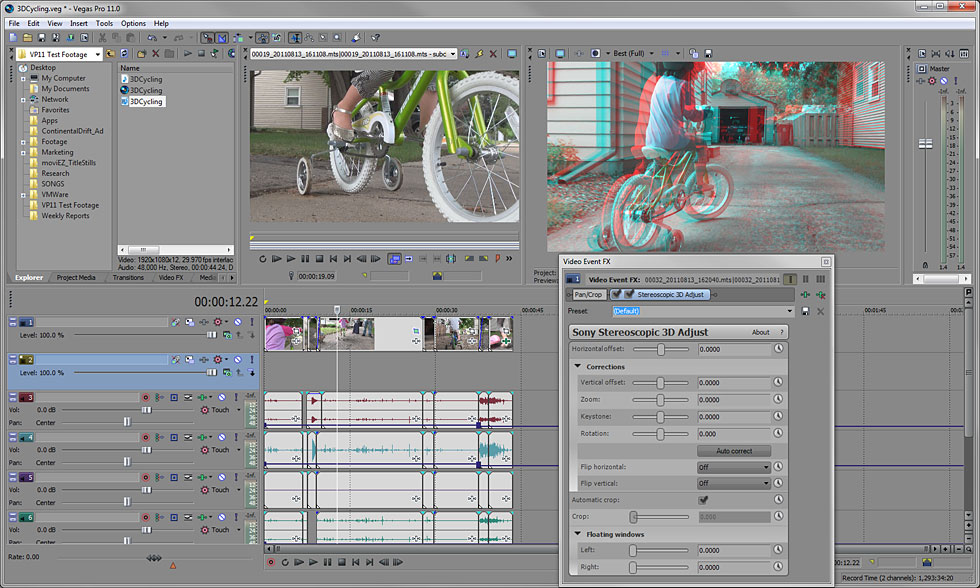
3D Editing
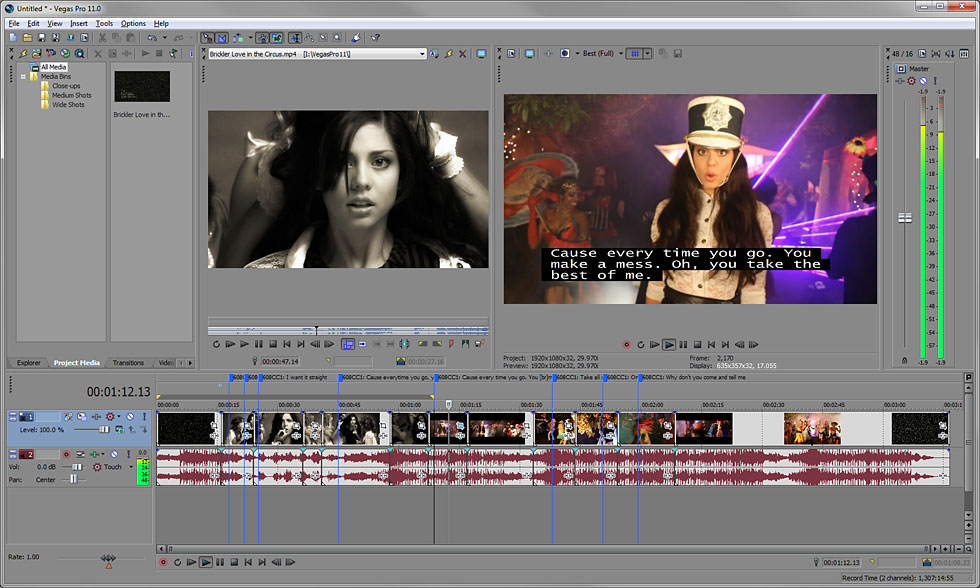
Closed Captioning
Text Tools
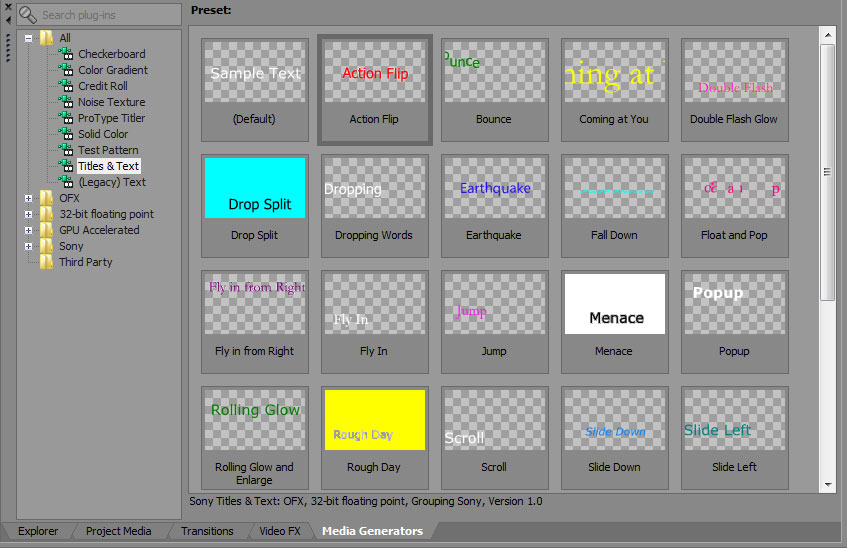
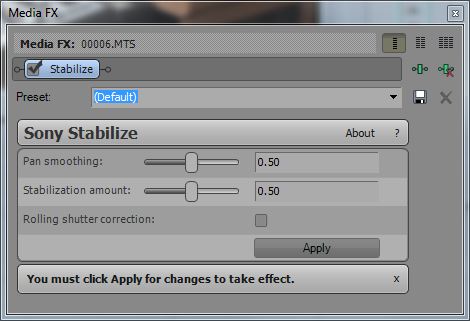
Image Stabilization
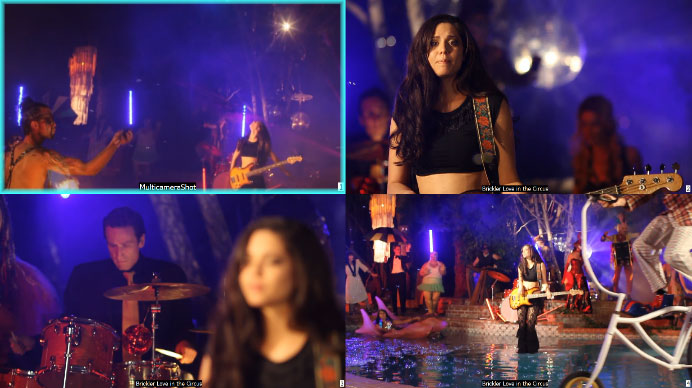
Multicamera Editing
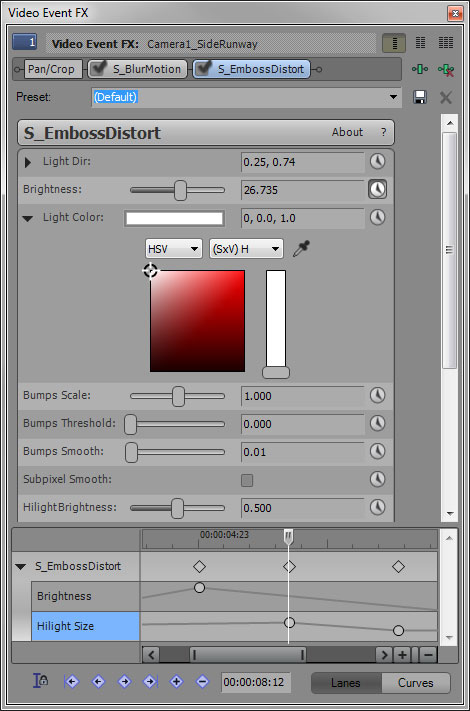
Enhanced Video Plug-in Architecture
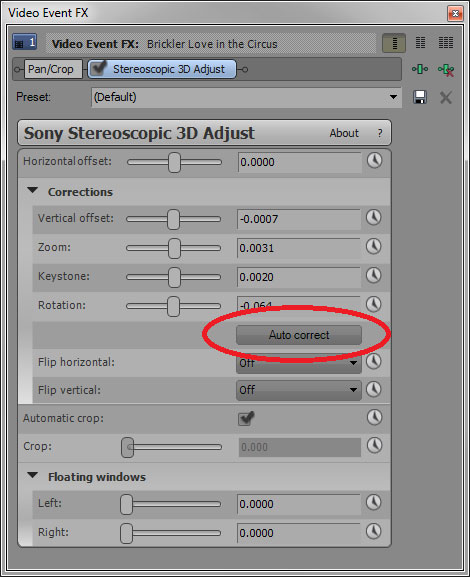
Auto Correct Footage
 

OS : Windows Vista SP2 or Windows 7
ภาษาอังกฤษ ดูคุณสมบัติกันแบบละเอียดได้เลยครับ
Overview : รายละเอียดของโปรแกรม
Precise editing tools
Edit SD / HD or 3D video with drag-and-drop functionality / extensive editing tools and incomparable video effects. Features include stereoscopic 3D support / multicamera editing / 32-bit floating-point video processing / video stabilization / customizable window layouts / HDV / AVCHD / RED / SDI / XDCAM / HDCAM SR support and A/V synchronization detection and repair.
GPU Accelerated Performance
Working with OpenCL supported devices from AMD and NVIDIA Vegas Pro 11 leverages GPU acceleration for video FX / transitions / compositing / pan / crop / track motion and encoding providing a significantly faster workflow. The addition of GPU acceleration streamlines the video editing experience in Vegas Po 11 by providing playback performance gains and faster rendering times ideal for industry professionals who work on tight deadlines where every second counts.
Stereoscopic 3D editing
Create breathtaking stereoscopic 3D projects with the same ease and agility as the Vegas Pro 2D workflow. Vegas Pro 11 provides the ability to easily import / adjust / edit / preview and output stereoscopic 3D media - all using industry-standard professional delivery formats including single or dual files with side-by-side/top/bottom or line-alternate encoding. Anaglyphic monitoring and output are also supported.
NewBlue Titler Pro
Create 3D titles with Titler Pro an exceptional new titler from NewBlueFX. Titler Pro enables users to add animations / professional-style templates and effects to their titles. Work in real-time with GPU-accelerated effects and transitions and easily move text on the X / Y and Z axes all within the Vegas Pro 11 workspace. Titler Pro is the perfect addition to the stereoscopic 3D toolset.
Superior audio control
Access unlimited audio tracks 24-bit/192 kHz audio / punch-in recording / 5.1 surround mixing / effects automation and time compress/expand while applying customizable real-time audio effects like EQ / Reverb / Delay and more. Expand your audio processing and mixing options with supported third-party VST audio plug-ins. Use the Mixing Console for precise audio control.
Powerful Blu-ray Disc authoring
Burn movies to Blu-ray Disc directly from the Vegas Pro 11 timeline for high-definition delivery. Use DVD Architect Pro software (included with the Vegas Pro 11 collection) to author DVDs or Blu-ray Discs with subtitles / multiple languages and numerous playback menus. Preview and test your work in real time. Apply Brightness and Contrast / Crop and Anti-Flicker filters. Add high-quality preset backgrounds and themes to add life to any project. Set CSS and Macrovision copy-protection flags for masters.
Professional 32- and 64-bit workflow
The Vegas Pro 11 interface provides a fully customizable workspace for accomplishing a wide range of production requirements. Dock multiple windows across multiple monitors and save your layouts to fit specific editing tasks. Nest Vegas Pro projects within the timeline / customize and save keyboard commands and use application s--cripting to automate repetitive tasks.
Broad format support
Vegas Pro 11 software natively supports the newest professional camcorder formats including XDCAM / NXCAM / AVCHD and RED. Vegas Pro 11 software also includes support for still images greater than one gigapixel in resolution. Use the Pan and Scan tools to create stunning movie sequences from these large pictures while maintaining beautiful HD resolution.
- - - - - - - - - - - - - - - - - - - - - - - - - - - - - - - - - - - - - - - - - - - - - - - - - - - - - - - - -
Vegas PRO 11 - Professional HD video / audio and Blu-ray Disc creation
- - - - - - - - - - - - - - - - - - - - - - - - - - - - - - - - - - - - - - - - - - - - - - - - - - - - - - - - -

บทความจาก ไทย ฟรีแวร์ By Atomcamfrog

Wednesday, June 15, 2011

VSO ConvertXtoDVD Ver. 4.1.19


VSO ConvertXtoDVD Ver. 4.1.19 Build 365 Final
โปรแกรมจากค่ายดังสัญชาติฝรั่งเศส สำหรับแปลงวีดีโอไฟล์เป็น DVD เพื่อนำไปไรท์และชมกับเครื่องเล่น DVD ได้ทันที สามารถฝังซับไตเติ้ลต่างๆ ที่คุณต้องการลงไปบนไฟล์วีดีโอได้ด้วย สนับสนุนนามสกุลมากมาย ดังนี้ avi | divx | xvid | mov | mkv | flv | mpeg-1 | mpeg-2 | mpeg-4 | nsv | dvr-ms | tivo | ts | ifo | vob | asf | wmv | realmedia | rm | rmvb | ogm | existing files from digital camcorders | TV/Sat | capture cards | etc. สนใจก็เอาไปลองใช้กันดูครับ  ^__^
Release Date : 11/05/2011

ScreenShots
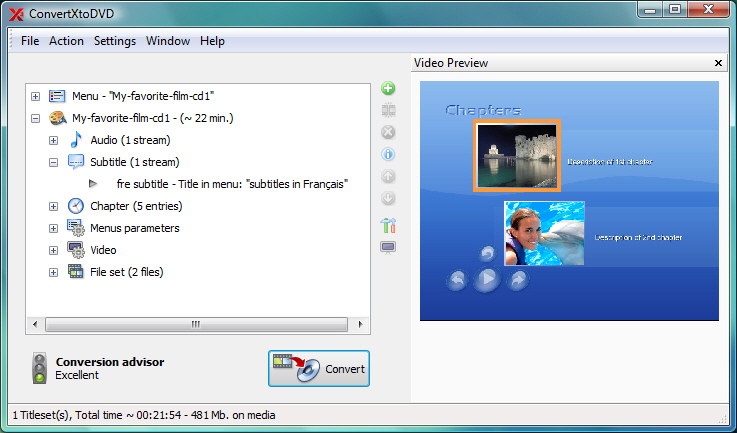
ConvertXtoDVD Chapter

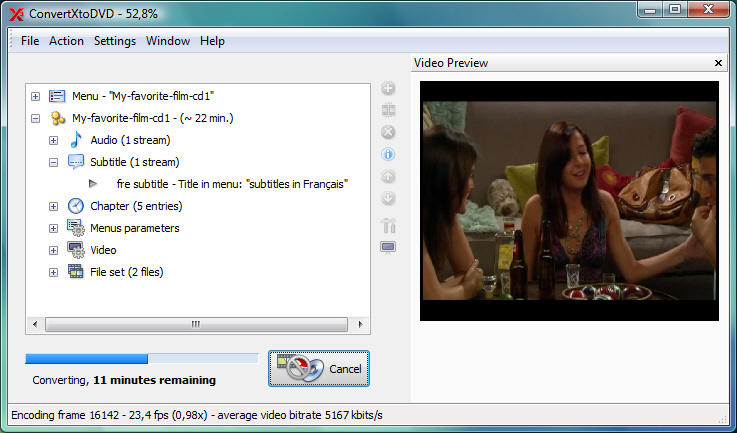
ConvertXtoDVD Process

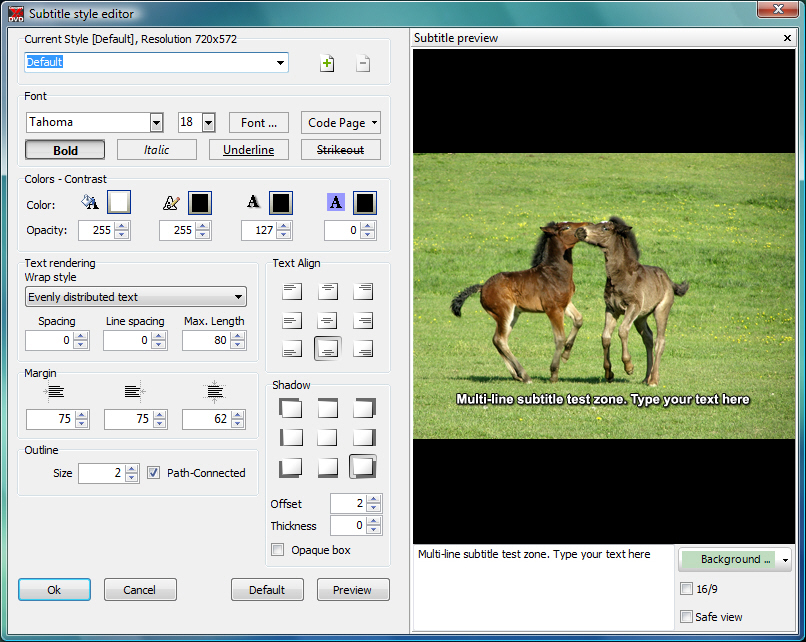
ConvertXtoDVD Subtitle style editor


Homepage : http://www.vso-software.fr/products/convert_x_to_dvd/
Optimized for : Windows 2000/XP/Vista and 7
ภาษาอังกฤษ ดูคุณสมบัติกันได้เลยจ้า
FEATURES : คุณสมบัติของโปรแกรม
• Video formats supported : avi/divx/xvid/mov/mkv/flv/mpeg-1/mpeg2-/mpeg-4/nsv/dvr-ms/tivo/ts/ifo/vob/asf/wmv/realmedia/rm/rmvb/ogm existing files from digital camcorders TV/Sat capture cards etc. No external codecs needed like avi codec download
• Create DVD menus with different templates available possibility to add background video image or audio have chapter and audio/subtitle menus
• Conversion advisor wizard control of the conversion speed vs. quality
• Fast and quality encoder typically less than 1 hour for converting 1 movie and supports Multi-Core processors!
• Included burning engine with burn speed control choice of SAO or packet writing methods supports all DVD formats
• Custom and or automatic chapter creation with markers and preview window
• Advanced file merging possibilities
• Audio formats supported internal and external : AC3/DTS/PCM/OGG/MP3/WMA and more...
• Subtitles files supported internal and external : SRT/SUB/IDX/SSA with color and font selection and supports tags like italic bold
• Video output for video standard (NTSC PAL) TV Screen (Widescreen 16 : 9 Fullscreen 4 : 3) and DVD Resolution (Full D1 Boradcast D1 Half D1 SIF) or choose automatic for all choices listed above. Also convert video from NTSC to PAL or PAL to NTSC
• Video post processing s-ttings like video resize-pad/cropping and de-interlacing options
• Multilingual support
Changes in ConvertXtoDVD v4.1.19.365 : เปลี่ยนแปลงอะไรในเวอร์ชั่นนี้บ้าง
============================
- Fix : support of some ts (transport stream) files and minor interface issue
- 0004166 : [Information] chapter edition (must press enter twice to validate change)
- 0004368 : [Unsupported file/stream format] TS4 files no longer supported from 4.1.16
- - - - - - - - - - - - - - - - - - - - - - - - - - - - - - - - - - - - - - - - - - - - - - - - - - - - - - - - - - - - - - - - - - - - - - - - - - - - - - - - - - - - - - - - - - -
ราคาขายในเว็บอยู่ที่ 49.99 $ ครับ ตาม link นี้ไปเลยจ้า : http://www.vso-software.fr/shop.php?currency=USD&vendor=avangate
Credit : คนที่คุณก็รู้ว่าใคร

Thursday, June 3, 2010

ArtIcons Pro Ver. 5.28


ArtIcons Pro Ver. 5.28
• ยูทิลิตี้ขั้นสูงที่เอาไว้จัดการไอคอนต่างๆ สำหรับวินโดวส์โดยเฉพาะเลยครับ มันจะช่วยให้คุณๆ ที่มีทั้งมืออาชีพและมือสมัครเล่น สามารถสร้างและแก้ไขไฟล์ไอคอนได้ตามใจคุณ ใครที่มีหัวศิลปะรับรองได้ไอคอนสวยๆ ไปใช้งานแน่นอนจ้า  ^__^
Release Date : 18/05/2010

ScreenShots
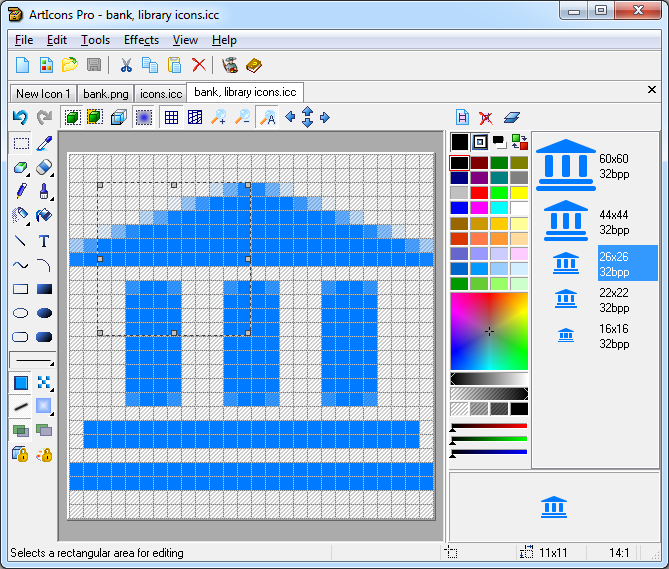
The main program window for editing icons

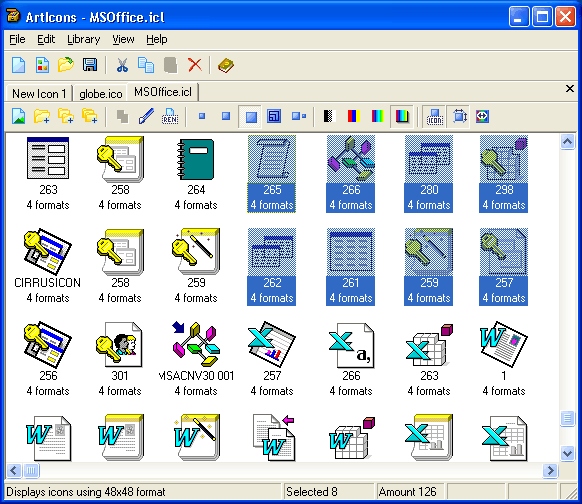
The main program window for managing libraries

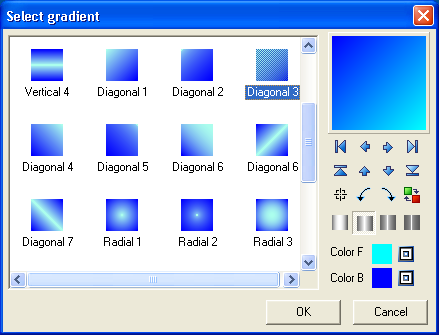
The window for gradient selection

Homepage : http://www.aha-soft.com/articons/index.htm
Requirements : Windows 95/98/ME/2000/NT/XP/2003/Vista
ภาษาอังกฤษ ดูคุณสมบัติกันครับ
With ArtIcons you can : ด้วย ArtIcons คุณสามารถ...
• Create and edit icons in either standard or custom sizes in color depths up to 16 million colors
• Create and edit icons for Windows XP in 32-bit color depth with 8-bit alpha channel
• Create and store images containing several layers
• Paint images with gradient and chess fill
• Modify images with drop shadow / opacity / smooth / negative / grayscale / colorize / hue/saturation / rotate / roll and mirror effects
• Replace image colors
• Create and manage icon libraries for better and more efficient storage
• Paste images in various graphic formats (ICO / ICPR / BMP / JPEG and PNG) directly into icons
• Export icon images to ICO / ICPR / BMP / JPEG and PNG files
• Extract icons from Windows executables libraries and animated cursor files
• Extract icons from all files in selected folders and subfolders and save them as icon libraries
• Convert Mac icons to Windows format
• Modify icons inside executables and other program files
• Sort images inside icons and icons inside libraries
• Customize Windows Desktop and folder icons
• Drag and drop files from file shells
• Drag and drop icons between different libraries
• Use English / Spanish / German and other interfaces
In addition : ฟังก์ชั่นการใช้งานเพิ่มเติม
• Import GIF / Adobe Photoshop PSD / WMF / XPM / XBM and WBMP images / CUR and ANI cursor files
• Export images to GIF / Adobe Photoshop PSD / RC / XPM / XBM / WBMP and CUR files
• Import and export icon color palettes
• Work with image lists in BMP and PNG formats
• Export library items into a single image
• Split icon libraries into individual icon files
• Split icons into sub-icons
===========================================================

Credit : คนที่คุณก็รู้ว่าใคร

Saturday, April 10, 2010

AMS Photo Effects Ver. 2.57


AMS Photo Effects Ver. 2.57
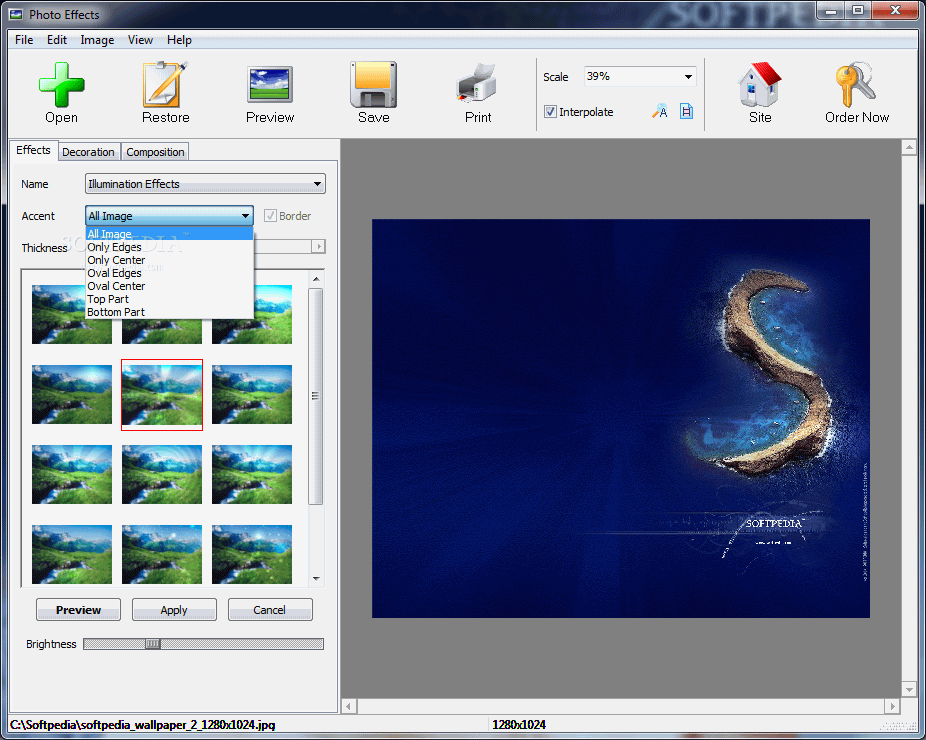
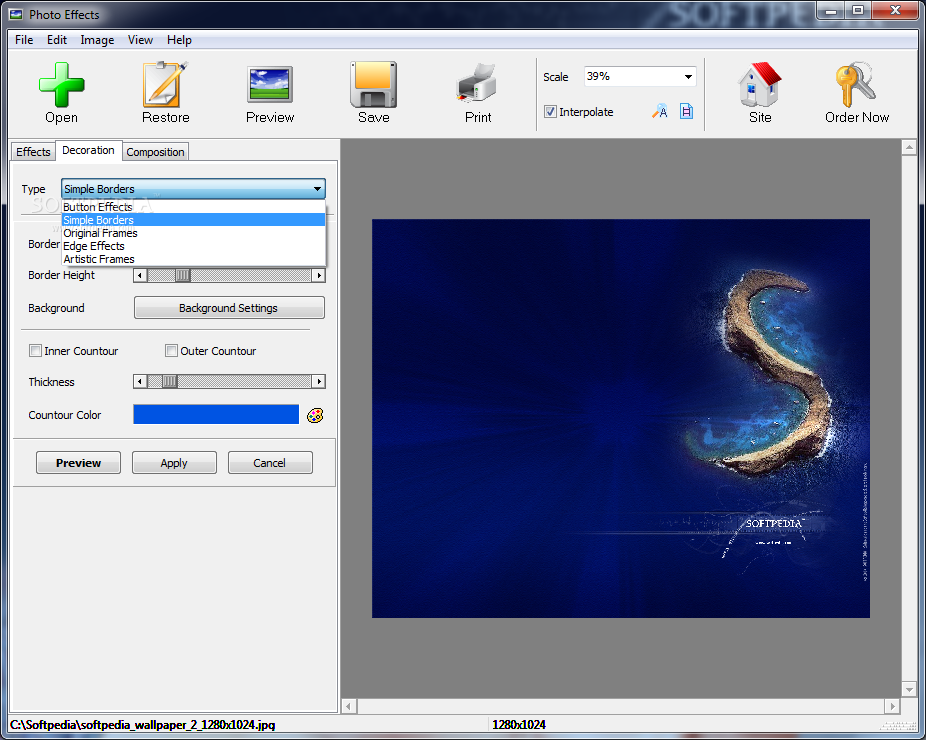
• โปรแกรมนี้จะช่วยให้คุณสามารถตกแต่งรูปภาพที่แสนจะธรรมดาให้ดูดีมีมิติและมีสีสันน่าสนใจขึ้นมาได้ ด้วยการใส่เอฟเฟ็คท์มากกว่า 50 รูปแบบ รวมถึงมีเฟรมต่างๆ ให้คุณได้เลือกใช้อีกมากกว่า 100 เฟรม ทำให้คุณจะต้องทึ่งไปกับการใส่ฝน / หิมะตก / หมอกบนฟากฟ้า / แสงสว่างจากดวงอาทิตย์ ฯลฯ.. ลงบนรูปภาพแบบ amazing จริงๆ กันเลยทีเดียวครับผม  o_ ๐
Release Date : 27/03/2010

ScreenShots

.
..

.
..

.
..

Homepage : http://ams-soft.com/effects/index.html
OS : Windows All
ภาษาอังกฤษ ดูคุณสมบัติกันครับ
Features : คุณสมบัติของโปรแกรม
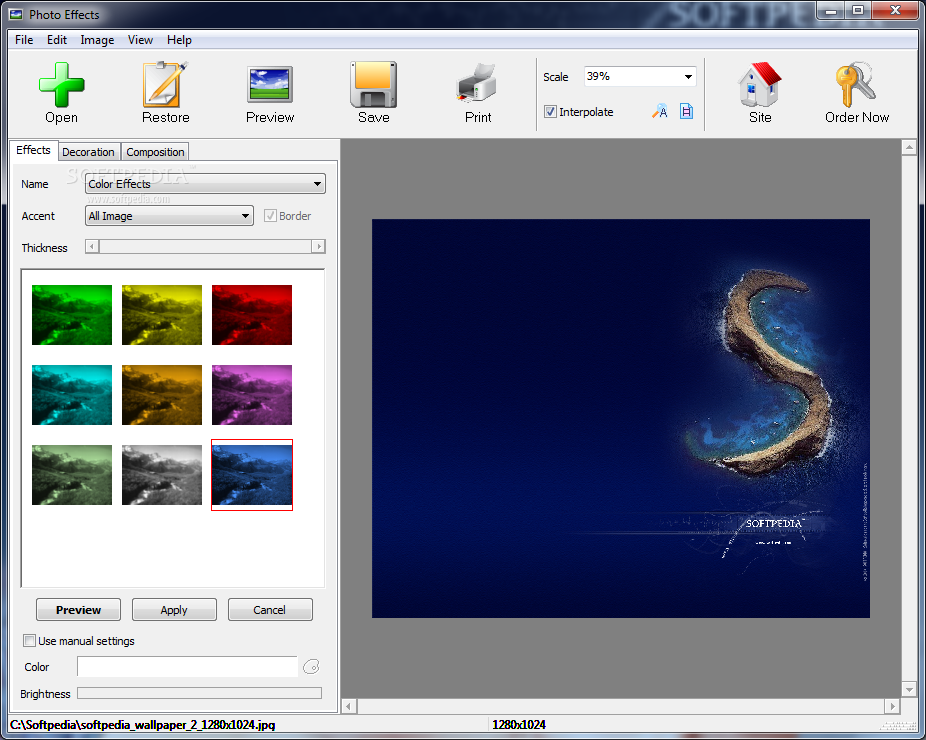
Effects. There are five categories of filters here color effects / lighting effect / traditional / artistic and distortion filters.
Decoration. If you open this tab you will find five types of frames including classic frames / relief frames / masks / etc.
Composition. This feature allows you to position your photo on the page in a beautiful way with the help of perspective adjustment. You can make the image fly in space / rotate it / add a shadow or glowing.
Opportunities of the program : รายละเอียดโปรแกรม
• intuitively clear user interface
• Processing and scenery of photos
• More than 50 built in standard and original effects
• Change of the size / brightness / contrast / a saturation / colors / etc.
• Imposing various ????? in a photo including traditional and original
• the Instant preview of effect before its application
• the Press of ready images on the printer

========================================================

Credit : คนที่คุณก็รู้ว่าใคร

Thursday, September 3, 2009

FLIP Flash Album Deluxe Ver. 1.9.512.1


FLIP Flash Album Deluxe Ver. 1.9.512.1
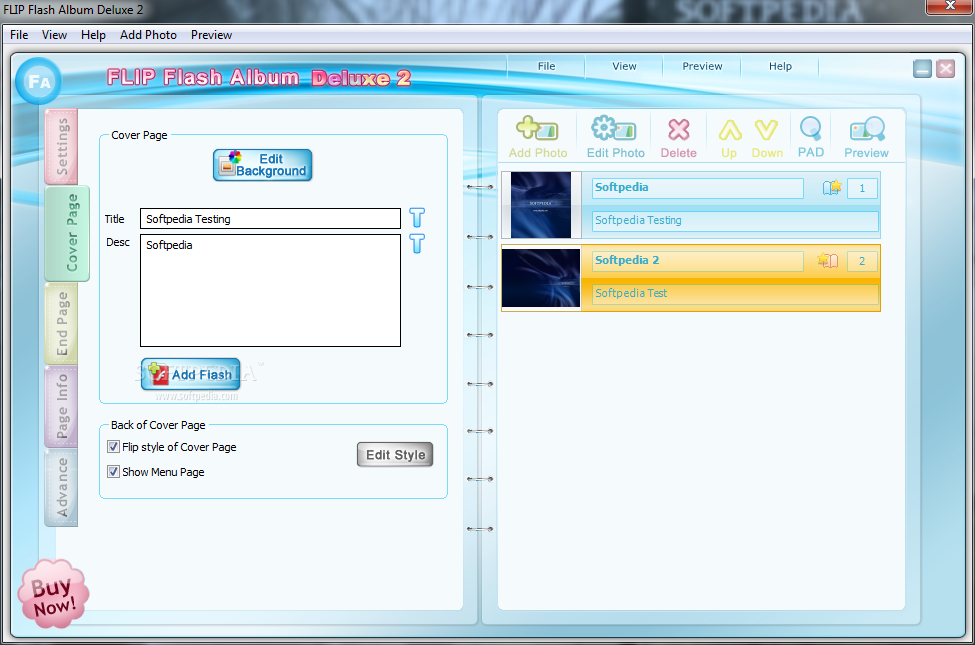
         สนุกสนานและง่ายๆ ไปกับ "FLIP Flash Album" โปรแกรมที่จะช่วยให้คุณสร้างหนังสือและอัลบั้มรูปภาพแบบสื่ออิเล็กทรอนิกส์ ออนไลน์ที่ยอดเยี่ยมมั่กมั่ก ถึงขั้นมีหลักสูตรอบรมกันเลยทีเดียว โปรแกรมสามารถใส่เอฟเฟ็คท์ต่างๆ ลงไปได้ ไม่ว่าจะเป็น ..เสียงดนตรี | รูปภาพ | ลูกเล่น Flash และอื่นๆ อีกมากมาย.. เพียงแค่คุณตั้งใจทำและพิถีพิถันสักหน่อย รับรองว่าคุณจะได้สื่ออิเล็กทรอนิกส์ออนไลน์ในรูปแบบหนังสือและอัลบั้มรูป ภาพแบบเปิดหน้าพลิกไปพลิกมาได้อย่างเทพๆ แน่นอนครับผม  ^__^

ScreenShots

.
..

.
..

Homepage : http://www.flipflashalbum.com/index.html
Platforms : Windows 7 / Vista / XP / 2000
ภาษาอังกฤษ ดูคุณสมบัติกันแบบละเอียดได้เลยครับ
Features : คุณสมบัติของโปรแกรม
1. Make real effect flipping digital photo album
This digital album will be played as a real album with flipping sound when you flip it by mouse. And it can be auto played.
2. Add sorts of photo frames
Different photo frames increase the harmonious between background and photo style.
3. Add background music
Open the album with the memory listen the music with the happiness. Then you will find you have never got such a feeling from true album. The music can be added from local disk or web.
4. Add title and des--cription for photos
Do you remember the place and the mood you took the photos? Write it down and share with your family and friends.
5. Add background pictures per page
Different albums fit in with different background styles. You can define individual style or use the materials we provided.
6. Add dynamic Flash effects per page
Adding a cake with burning candles or a bundle of rising balloons can activate your birthday photo album.
7. Direct produce single Flash file
Sharing and uploading your album are no more difficult things. You can upload or send SWF file to your family and friends simply and rapidly.
8. Exact adjusting of properties
Although the FLIP Flash Album easy to use its advanced properties can make your album unique.
9. Various text effects
You can make colorful / border and shade effects for your des--criptions without any other tools.
10. Create erose photo album
The page of album can be in any shapes or Flash. So you can make diversify albums try our heart shape template you will get it.
11. Change the size of the album
The size of album can be changed any time and our provide the user a series of standard sizes such as 7 inch photo album / CD packing and etc.
12. Add preloader and appendix
When you have amount of photos you can add a preload bar to show the viewer of the download status. You can add appendix or Advertising information at the bottom.
13. Plenty of latest templates and materials can be downloaded
For convenience of using our software we will publish new templates for creating professional photo album by clicks.
14. Synchropreview window get each steps directly
How the current page effect? How the distance between paragraphs? How the Flash effects? Easy to get all information by this synchropreview window and adjust it at any time.
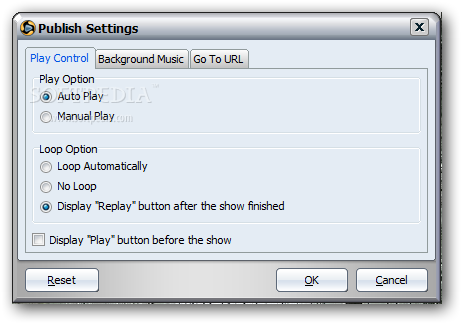
15. More features are expected your exploration
FLIP Flash Album becomes more and more powerful. Work on it together and retain the wonderful memories with us.
Why we use SWF file format? : ทำไมพวกเราถึงใช้ SWF file format?
1. Fully dynamic effects
2. Protect the right of the photos
3. Too much existing Flash materials
4. Direct display without any installation.
5. Use effects which made by Flash Mixer
6. Remix the photo album with other Flash by Flash Mixer
- - - - - - - - - - - - - - - - - - - - - - - - - - - - - - - - - - - - - - - - - - - - - - - - - - - - - - - - - - - - - - - - - - - - - - FLIP Flash Album Deluxe is a fun and an easy software to create animated flipping flash photo albums.
- - - - - - - - - - - - - - - - - - - - - - - - - - - - - - - - - - - - - - - - - - - - - - - - - - - - - - - - - - - - - - - - - - - - - -

Credit : คนที่คุณก็รู้ว่าใคร

Wondershare Flash Gallery Factory Ver. 4.8.2.7


Wondershare Flash Gallery Factory Ver. 4.8.2.7
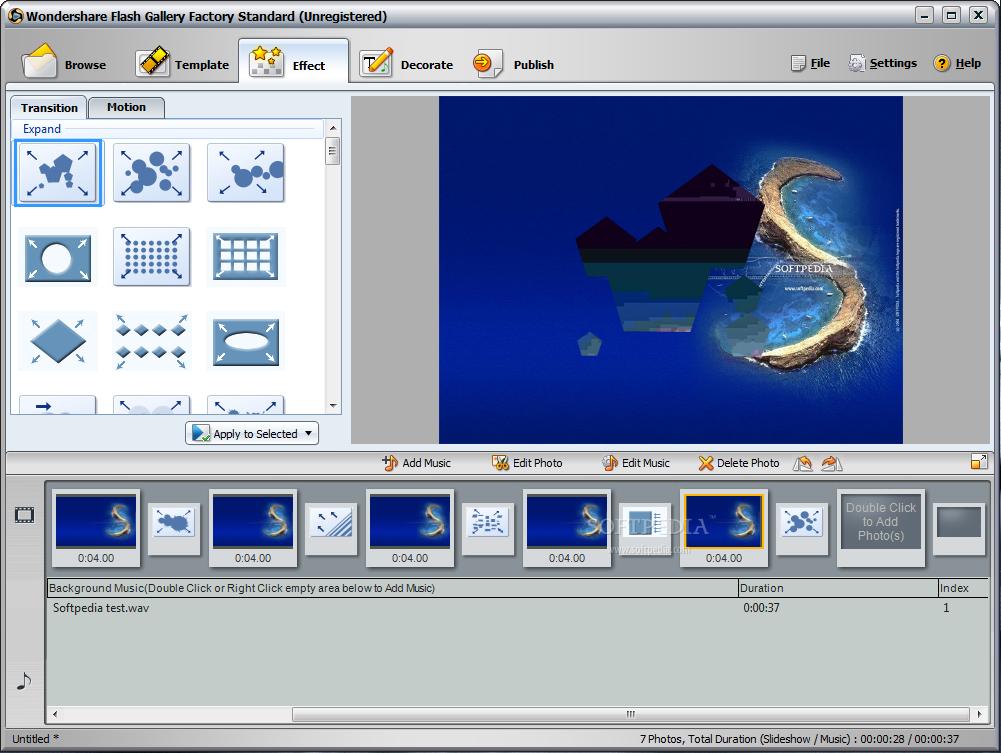
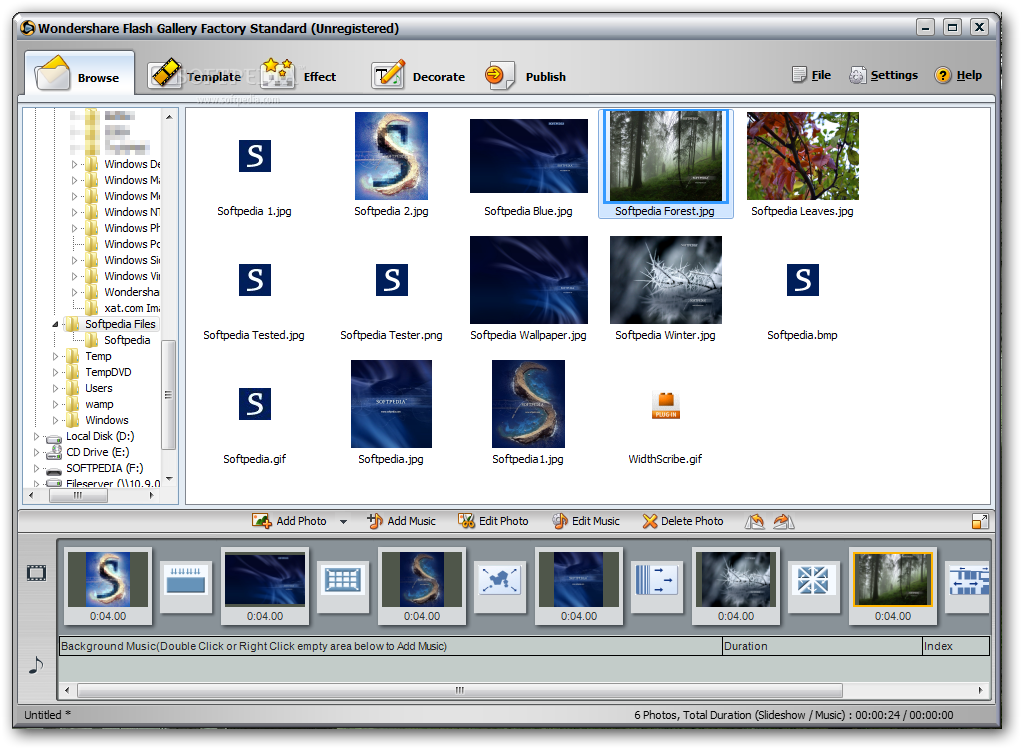
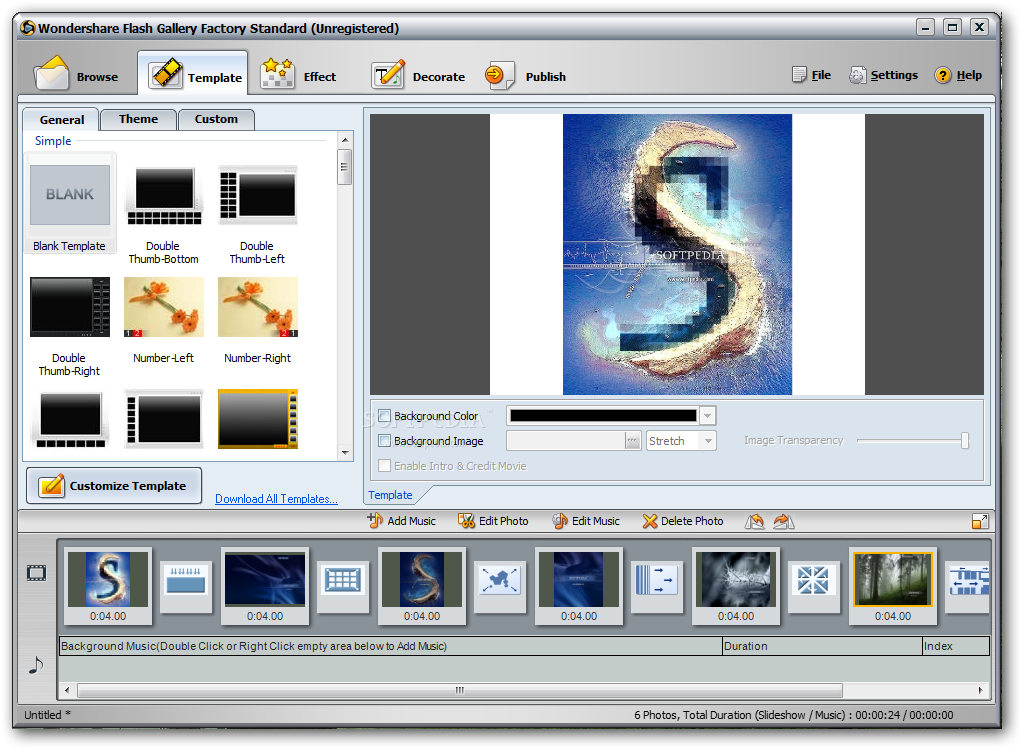
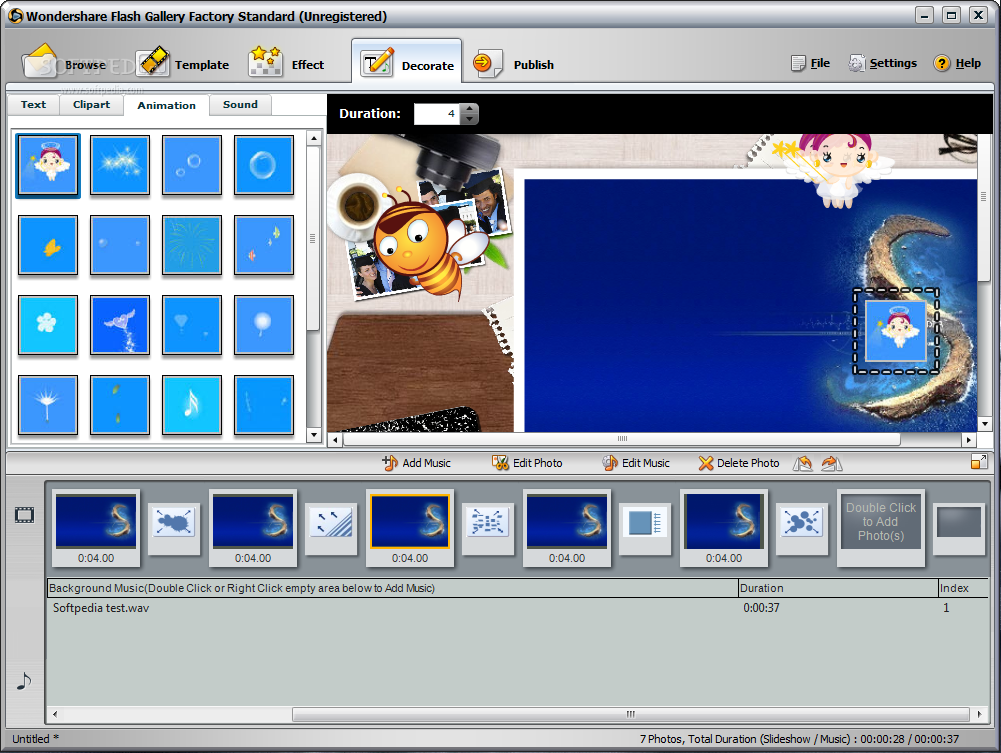
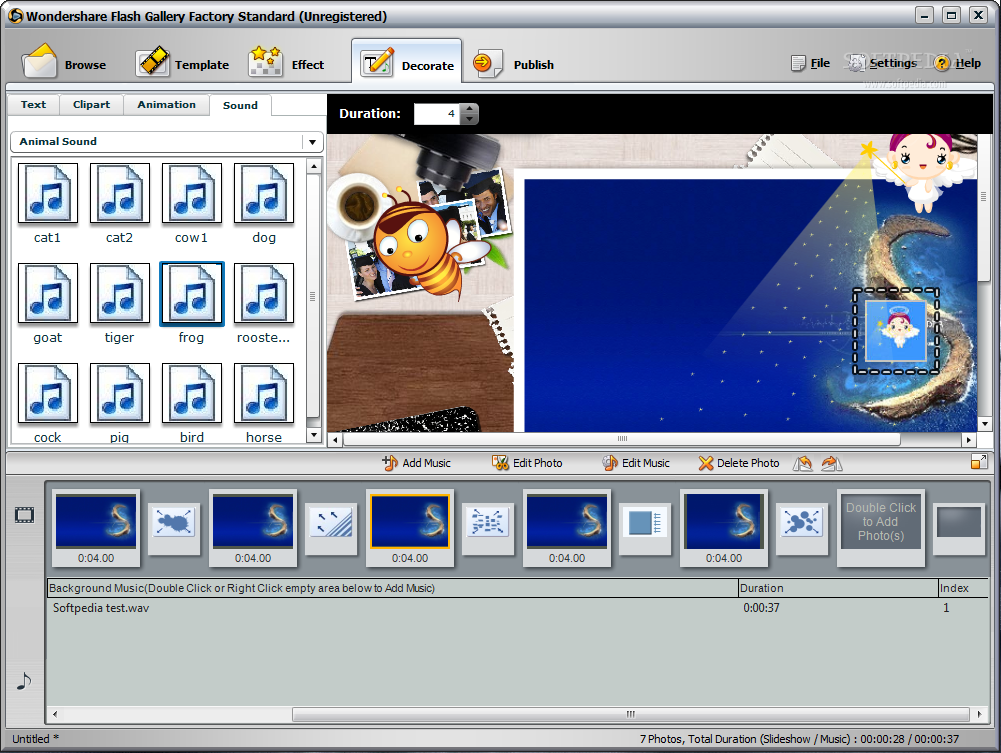
Wondershare Flash Gallery Factory  ซอฟท์แวร์อันทรงพลังและใช้งานง่าย สำหรับช่วยให้คุณสร้าง ..Flash photo slideshows | Flash photo albums | Flash presentations.. ในสไตล์ 3D จากรูปภาพต่างๆ ที่คุณต้องการ มีเทมเพลทให้คุณเลือกใช้มากมาย พร้อมกับสามารถใส่เสียงดนตรี และใส่เอฟเฟ็คท์ต่างๆ ได้มากกว่า 200+ เอฟเฟ็คท์ ครอบคลุมทุกการใช้งาน ..แล้วคุณจะรู้ว่าโปรแกรมนี้มันเทพจริงจริงเลยจ้า!  ๐__0
Release Date : 05/08/2009

ScreenShots

.
..

.
..

.
..

.
..

.
..

.
..

.
..

.
..

.
..

Homepage : http://www.wondershare.com/digitalphoto/fsb/fsb_overview.html
Operating System : Windows 2000/XP/Vista
ภาษาอังกฤษ ดูคุณสมบัติกันแบบละเอียดได้เลยครับ
Key Features : คุณสมบัติของโปรแกรม
Two flash making modes
• Slideshow Mode : provides effects setting custom templates features for more control
• Gallery Mode : provides pre-arranged effects free flash photo gallery templates
• Slideshow Mode is same as Flash Slideshow Builder
Touch up your photos and music
• Add up to 400 images in one flash photo gallery
• Use multiple background music to set any mood of your flash gallery
• Make photos & music perfect with the built-in edting tools
A variety of flash gallery / flash slideshow templates
• 30+ flash slideshow templates : transition effects and slide timing can be set
• 15+ advanced flash photo gallery templates
• 10+ new 3D flash gallery templates
• Flash gallery templates available for wedding / holiday / business and other occasions
200+ Transition & Pan / Zoom effects
• Transition effects enable you show your creativity
• Motion effects bring still photos to life
• Set effect time for each photos
• Pre-arranged transition & motion effects Gallery Mode templates
Custom flash slideshow templates
• Fully customizable to match any website style
• Set animated background images for flash photo gallery
• Change photo frames of images and thumbnails to any size
• Choose to display multiple rows of thumbnails
• Position thumbnail rows to anywhere
Multiple output formats
• Create SWF slideshow or Publish as HTML
• Output .EXE format
• Save as screen saver or send out via email
• Embed into your own website / MySpace / Blog
Other Highlights
• Customize color / font / size and even effect for caption
• Control the precise duration of each slide
• Add text / image hyperlink for single slide or whole website slideshow
What s new in Wondershare Flash Gallery Factory v4.8.2.7 : เปลี่ยนแปลงอะไรในเวอร์ชั่นนี้บ้าง
* Fixed the bug of publishing the selected preloader.
* Added the background color setting for the whole slideshow in Slideshow Mode.
* Optimized the published file path setting in Publish Tab.
- - - - - - - - - - - - - - - - - - - - - - - - - - - - - - - - - - - - - - - - - - - - - - - - - - - - - - - - - - - - - - - - - - - - - -
Wondershare Flash Gallery Factory - Best flash gallery maker for making dynamic flash gallery!
- - - - - - - - - - - - - - - - - - - - - - - - - - - - - - - - - - - - - - - - - - - - - - - - - - - - - - - - - - - - - - - - - - - - - -

 Credit : คนที่คุณก็รู้ว่าใคร

Monday, March 30, 2009

Movavi Video Converter Ver. 7.1.1


Movavi Video Converter Ver. 7.1.1
• แปลงไฟล์ยอดนิยมต่างๆ ระหว่างกัน..อินเทอร์เฟซยอด คุณภาพเยี่ยม แจ๋วจริงครับตัวนี้  ^__^
Input Video Formats : นามสกุลที่สามารถ import ได้
================
AVI | DivX | XviD | MJPEG | DV-AVI | MPEG 1-2 | MP4-H.263-H.264 | WMV | ASF | 3GP | 3GPP | 3GPP2 | QuickTime | MOV | QT | DVD | VOB | IFO | MOD | DAT (VCD-SVCD) | M2T | MTS | MKV | VRO | FLV.
Output Video Formats : นามสกุลที่สามารถ output ได้
=================
AVI | DivX | XviD | MJPEG | MPEG 1-2 | MP4-H.263-H.264 | WMV | 3GP | 3GPP | 3GPP2 | QuickTime | MOV | QT | Real Media | RM | RMVB | FLV.
Output Video for Mobile Devices : แปลงลงเครื่องเล่นแบบพกพา ติดตัวไปทุกที่
========================
iPod | iPhone | Apple TV | PSP | Zune | PDA | Pocket PC | BlackBerry | Creative Zen | Archos | Epson media players | Cell Phones | Smartphones.
Output Audio Formats : แปลงเป็นไฟล์ออดิโอต่างๆ
=================
MP3 | WAV | WMA | OGG | AAC | FLAC |  Monkey s Audio.
Output Image Formats : แปลงเป็นไฟล์ภาพต่างๆ
=================
JPEG | PNG | BMP | GIF.

ScreenShots

.
..
Homepage : http://www.movavi.com/videoconverter/
Requirements : Windows 2000/XP/Vista
ภาษาอังกฤษ ดูคุณสมบัติกันแบบละเอียดได้เลยครับ
More Features : คุณสมบัติของโปรแกรม
• Convert video & unprotected DVDs into any formats including the latest ones.
• Rip videos and DVDs to watch them on any portable device : iPod  iPhone  PSP  PDA  Zune  Archos  BlackBerry  cell phones and more.
• NEW! Convert video to and from HD formats without limitations!
• NEW! Specify quality level and file size of output video with a single click within your video converter software.
• Fine-tune any output format settings in the video converter s Advanced mode.
• Improve video quality tweak your video with unique editing tools.
• Save your time when you either convert videos or rip videos with our ultra high-performance video converting technology.
• Support for 40+ video  audio and image formats makes Movavi Video Converter a true "one-size-fits-all" video file converter.
• Convert video files to any formats you like including the newest formats supported in this version of our video format converter : M2T  MTS  MKV and VRO.
• Save your unencrypted DVDs to any video format. Our video converter software allows you to choose the DVD titles you want to convert. Select audio track and subtitles for each DVD title.
• Convert video from Flash (FLV) format to your mobile device format.
• Use Movavi Video Converter not only to convert video but also to extract still images from your video!
• Convert video to and from HD formats with this handy HD video format converter.
• Use ready-made presets for all popular HD video formats OR fine-tune HD video quality settings manually. Our video converter software offers plenty of choice.
• Shrink recordings of your favorite HDTV show or even an entire HD DVD movie and convert video to a standard video file that can be easily stored on your iPod or even a cell phone!
• Crop video quickly and easily to convert a specific rectangular area within the video. Ideal if you need to convert video to a different screen size.
• Merge video files in any format into a single longer movie file with a single click of the Join button.
• Rotate video by 90  180 or 270 degrees - useful if you need to convert video from a device that rotates captured video.
• Real-time video enhancement - adjust brightness  contrast  hue and saturation and view changes in real time.
• Improve video quality with professional filters - Deblocking and Deinterlacing - to solve two of the most common video quality problems as you convert your video file.
• Add Watermark - text overlay with control over font  font size  border and background even add a graphic logo. A must-have feature for advanced video converter software.
• Support for modern Intel Core 2 Duo and AMD Phenom multi-core processors means video converting gets faster than ever!
• Batch conversion saves time by letting you convert videos and DVDs in batches. That means you can convert videos in groups i.e. multiple videos at once.
• Convert video while you sleep. Need to do a lot of video converting e.g. a whole library of high quality video files? Just let Movavi Video Converter do it for you while you sleep. When it s done the video converter software will close itself and power down your computer safely.
What s New Version 7.1 released : เปลี่ยนแปลงอะไรในเวอร์ชั่นนี้บ้าง
* Support for New Audio Formats : FLAC and Monkey’s Audio
* Import Files to iTunes Option (when converting video to the formats supported by Apple devices)

==================================================================

Credit : คนที่คุณก็รู้ว่าใคร

Tuesday, February 3, 2009

Panorama Factory


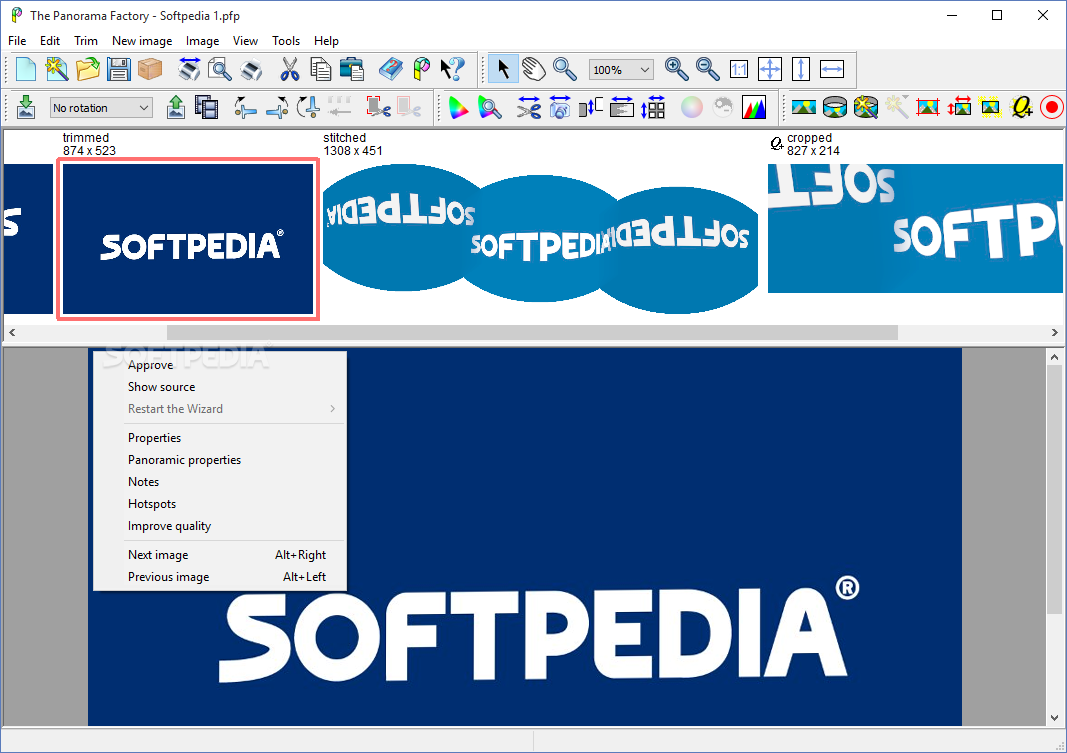
         • คงมีหลายๆ ครั้ง เมื่อคุณไปเที่ยวและอยากบันทึกภาพเก็บความทรงจำ ณ ขณะนั้นไว้ แต่ว่า.. เมื่อคุณยกกล้องจะถ่าย ดั้นนน!! เก็บภาพได้ไม่หมดในเฟรมเดียว คุณจะทำยังไงดีล่ะทีนี้? ถอยจนหลังติดกำแพงก็แล้ว ตะแคงกล้องช่วยก็ยังไม่ไหว ปรับเลนส์ จน Wide สุดก็ยังไม่พอ ...ต่อไปนี้คุณมีทางเลือกใหม่ครับ โดยการถ่ายเป็นภาพพาโนรามาซะเลย ซึ่งสามารถแก้ปัญหาให้คุณได้หมด ..ในที่สุดคุณก็จะพบว่า การถ่ายภาพแบบพาโนรามาจะทำให้คุณได้ภาพที่มีบรรยากาศเหมือนว่าคุณยังอยู่ตรงนั้นเลยครับผม
         • ด้วย Panorama Factory จะทำให้ภาพที่คุณถ่ายจากกล้องดิจิตอลในโหมด panorama นั้นออกมาในรูปแบบที่สวยสมบูรณ์แบบที่สุด โดยใช้คอนเซปท์การนำรูปภาพที่ถ่ายในหลายๆ เฟรม (ไล่จากซ้ายมาขวาตามหลักสากล) เอามาซ้อนทับและเปลี่ยนรูปร่างให้เป็นไปอย่างที่ใจต้องการ.. ซึ่งภาพที่ได้จะสวยสมบูรณ์แบบมากน้อยแค่ไหน ก็ขึ้นอยู่กับการถ่ายภาพในแต่ละเฟรมของคุณว่าจะมีความ smooth เพียงใด และนำมาตัดต่อ ตกแต่งผ่านโปรแกรมได้เนียนขนาดไหน ซึ่งทั้ง 2 ขั้นตอนที่กล่าวมานี้ ก็ขึ้นอยู่กับฝีมือของคุณล้วนๆ แล้วล่ะครับ!
เล็กๆ น้อยๆ เกี่ยวกับพาโนรามา :
===================
• ภาพพาโนรามา คือภาพที่ถ่ายในมุมกว้าง ที่มีแนวภาพในแนวนอนกว้างกว่าแนวสูง มากกว่า 2 เท่าขึ้นไป นิยมถ่ายภาพที่ต้องการบันทึกพื้นที่กว้างของภาพมากกว่าการถ่ายตามปกติ เช่น ภาพทิวทัศน์ ทำให้ภาพน่าดูยิ่งขึ้น ผู้ดูจะมีความรู้สึกเสมือนชม ธรรมชาติไปรอบๆ ตัว อย่างไม่มีที่สิ้นสุด
Release Date : 12/01/2009

ScreenShots

.
..

.
..

Homepage : http://www.panoramafactory.com/
FOR : Windows 98 / ME / NT / 2000 / XP / 2003 / x64 / Vista and Mac OS X 10.3.9 / 10.4 / 10.5
ภาษาอังกฤษ ดูคุณสมบัติกันแบบละเอียดได้เลยครับ
The Panorama Factory provides a rich set of features : คุณสมบัติของโปรแกรม
Easy to use :
• Runs on Windows and Mac.
• A Wizard helps you create new stitching projects with just a few mouse clicks.
• Automatic detection of focal length.
• Detection of camera rotation and tilt.
• Easy rotation of imported images.
• Includes a library of over 800 digital camera models including digital SLRs.
• Available in Catalan / Chinese-Simplified / Chinese-Traditional / Czech / Dutch / English / French / German / Hungarian / Italian / Japanese / Norwegian-Bokmal (63%*) / Polish / Russian / Slovak (81%*) / Spanish (98%*) / Turkish (24%*). Online help is "bilingual" (commands / buttons / etc. in the local language with explanations in English).
• Translation percent complete as of January 5 2009. Other translations are 100% complete.
• Chinese and Japanese language translations require the x64 / m32 or Mac Edition.
• Lets you save user preferences for all applicable dialogs.
Attention to image-quality issues :
• Includes automatic and manual "de-ghosting" tools.
• Automatically or manually correct barrel distortion and brightness falloff.
Support for immersive virtual reality :
• Output to QTVR / IVR / PTViewer or HTML image map format.
• Use hotspots to create virtual tours by hyperlinking from one VR image to another.
• Import existing VR images in order to edit and re-export them in other formats.
• Create web pages from pre-defined templates or templates you create yourself.
• Create thumbnail index web pages.
True full color support :
• Accepts 24-bit and 45-bit color images (15 bits each for red / green and blue).
• Supports color managed workflows including conversion to working color space.
• Reads and writes Windows BMP / JPEG / TIFF and PNG images.
• Exports to layered Photoshop image format.
• Optionally maintains full 45-bit data until final image output at 24-bits.
• Can work from positive or negative images.
• Includes a convenient and intuitive color correction tool.
• Trims images from negative strips with a semi-automatic corner finding tool.
Fast  high-quality image processing engine :
• Focal-length refinement.
• Image overlap from 1-99%.
• Automatic image alignment with manual override.
• Bicubic image sampling is used to maintain image quality.
• Image rescaling with Lanczos2 filtering – perfect for creating thumbnail images.
• Multi-threaded execution on multi-processor systems  including multi-core systems (requires Windows XP / 2003 or Vista).
• 64-bit processor support (requires the x64 Edition of Windows XP / 2003 or Vista).
• Batch processing version available for bulk panorama renderings.
Customer support :
• Printable user guide in PDF format.
• Troubleshooting guide and frequently asked questions.
• Comprehensive online help pages.
• Dedicated support forum.
• Free updates for minor versions (e.g.: V5.1 is a free update for owners of V5.0.)
Project-file organization :
• Allows you to change intermediate images without starting over.
• Enables archival storage with reduced disk space.
++ รางวัลการันตีมากมายเลยครับผม!

============================================================

Credit : คนที่คุณก็รู้ว่าใคร