Showing posts with label โปรแกรม อื่นๆ. Show all posts

Wednesday, December 7, 2011

Print2PDF Ver. 9.1.11 Build 0421


Print2PDF Ver. 9.1.11 Build 0421
Print2PDF  ให้คุณสามารถพิมพ์เอกสารออกมาในรูปแบบของไฟล์ PDF จากทุกๆ Application ที่สามารถสั่งพิมพ์ได้อย่างง่ายๆ เลยครับ เรียกได้ว่าถ้าโปรแกรมไหนมีเมนูให้คุณ Print งานออกมาได้แล้วล่ะก้อ คุณก็สามารถ Export มันออกมาให้เป็นเอกสารในรูปแบบของไฟล์ PDF ได้ ..ซึ่งผมรับรองว่าโปรแกรมนี้จะช่วยอำนวยความสะดวกให้คุณประหยัดเวลาไปได้มากเลยล่ะครับผม  ^__^
Release Date : 21/04/2011

ScreenShots
PDF/A conversion

Provide network PDF creation and distribute conversion profiles

Automatic PDF conversion from watched folders and emails

Digital Time Stamp Support

Batch convert multiple do-cuments to PDFs

Homepage : http://www.software602.com/pdf-products/print2pdf
Requirements : Windows XP/Vista/7or Windows Server 2003/2008
ภาษาอังกฤษ ดูคุณสมบัติกันแบบละเอียดได้เลยครับ
Overviews : รายละเอียดของโปรแกรม
Supports the 19005-1 PDF/A archive standard
The PDF/A archive standard ensures that PDF files created today will be usable for years to come. Creates PDF files that are compliant with the new public specification from the International Standards Organization.
Windows Vista and Microsoft Office 2007 ready
Native 64-bit (x64) print driver support along with Windows Vista Windows Server 2008 and Microsoft Office 2007 compatibility will provide you a safe investment in PDF technology well into the future.
Profile support and built-in profiles
Easily control how you create Adobe PDF files. The included built-in profiles provides one-click access to create PDF/A-1b High Quality Output Smallest File Size Watermarked and Standard PDF output.
Create fully compatible Adobe PDF files
Print2PDF creates Adobe PDF compatible do-cuments that are viewable with the FREE Adobe Reader. PDF do-cuments will look exactly as you intended and can be viewed on a broad range of operating systems.
Easy software distribution
Share the print driver from any Windows computer or prepare a client installation for distribution from a flash drive. Once the print driver has been installed on the client future connections to the server are not required and all conversion is performed on the client workstation.
Complete client control with profile support
Control how your users will create PDF files in your organization. Configure default settings output folder & filenames and decide if Microsoft Office and Internet Explorer integration is available.
Supports Terminal Services and Citrix
Reduce your administration costs by centralizing PDF creation on Terminal Services or Citrix MetaFrame Presentation Server. Please read the Citrix MetaFrame Installation Guide for more information.
Batch convert multiple do-cuments to PDF
Save time and convert multiple office do-cuments using the included GUI application or command-line utility to automate conversion on the server. Output PDF files keep the original name to further automate the process.
Supports application integration
Easily add PDF output capability to your application. Print2PDF includes a simple configuration utility to automate conversion. Read the Developer Guide to learn how to integrate Print2PDF into your application.
Merge multiple do-cuments into a single PDF
Create a single PDF from multiple sources (web pages Microsoft Word) to deliver one do-cument that anyone can open using the FREE Adobe Reader software. Append before after or in the middle of a PDF file.
Sign PDF do-cuments with a Digital ID
Sign electronic do-cuments using a digital signature to verify your identity and provide tamper-resistance. Integration with the Windows Certificate Store provides one-click access to your digital signatures.
Secure PDF do-cuments with encryption
Strong PDF security with 40-bit or 128-bit RC4 encryption secures your private do-cument s content. Use this industry accepted encryption standard to easily protect any do-cument.
Authorize PDF access with password protection
Print2PDF supports two levels of password protection. A password can be configured to protect the do-cument upon opening and a different password can be defined to control any do-cument changes.
Easily control PDF content through permissions
Use PDF do-cument permissions to allow or deny do-cument printing changing the do-cument content copying and adding or changing comments & form fields to effectively control the do-cument content.
Create PDF files optimized for the web
Provides the ability to optimize PDF files for quick viewing through the web (fast web view). The linearization process will allow viewers to begin reading the do-cument before it has been completley downloaded.
Includes Integrated SMTP Client
Use the built-in SMTP client to send an e-mail with the PDF attachment to a designated SMTP server. No default e-mail client is required.
Enhance do-cuments with a stamp or watermark
Use the Stamp function to brand your do-cuments by ing an image of a stamp signature or company logo. Easily classify do-cuments with a text watermark (e.g.  Draft   Classified  etc.).
Simple PDF conversion from Microsoft Word
With the included macro easily convert any do-cument into PDF with hyperlink and bookmark support. Toolbar integration with Microsoft Word provides quick one-click conversion.
Add metadata to a PDF do-cument
Control the metadata that is saved to PDF. Easily add a title subject author and keywords to quickly find the do-cument you need within your do-cument management system. Also supports XMP metadata.
Choose PDF do-cument print quality
Choose the resolution (96 to 2400 DPI) to optimize print quality and do-cument file size. Use multiple image compression options to preserve the integrity of the images in the PDF do-cument.

Saturday, November 26, 2011

Solid PDF Tools Ver. 7.1 Build 1260


Solid PDF Tools Ver. 7.1 Build 1260
==> แนะนำฟังก์ชั่นการใช้งานเด็ด ให้สัก 3 ฟังก์ชั่น เรียกน้ำย่อยกันพอหอมปากหอมคอ ดังนี้ :
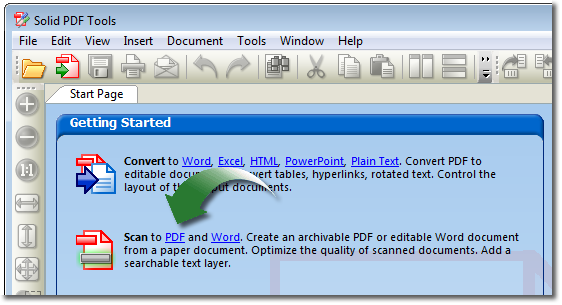
Scan to Word : สแกนเอกสารในรูปแบบกระดาษ A4 ลงโปรแกรม Microsoft Office ได้โดยตรง และสามารถแก้ไขใน Microsoft Word ได้ทันที[แจ่มโคตรๆ อ่ะ ฟังก์ชั่นนี้]
PDF to Word Conversion : แปลงไฟล์ "PDF" ของคุณให้กลายเป็น Microsoft Word เพื่อการแก้ไขที่ง่ายดาย!
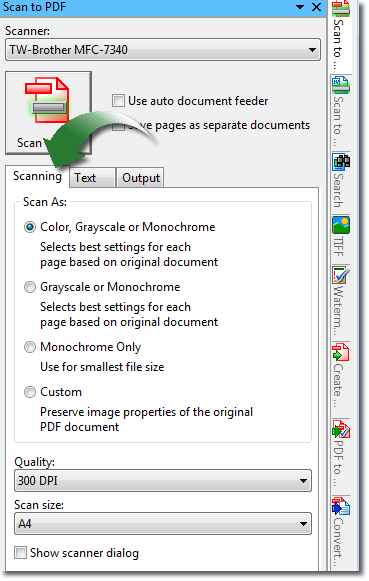
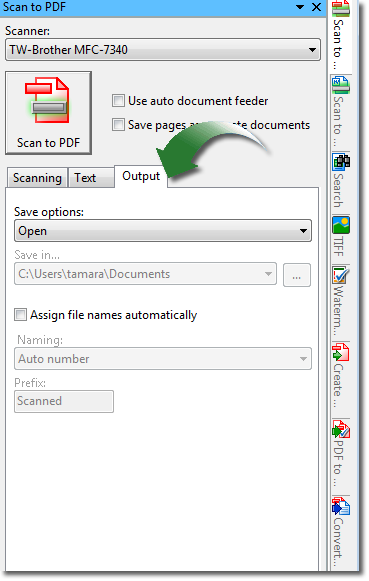
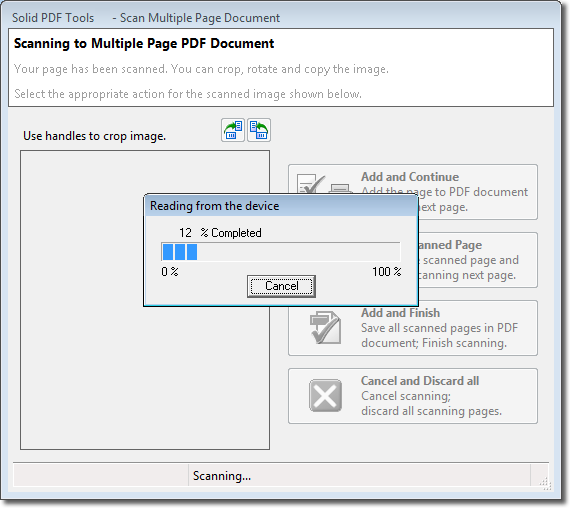
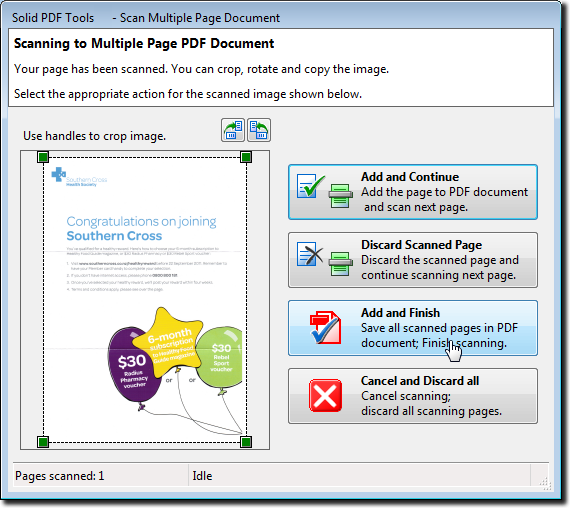
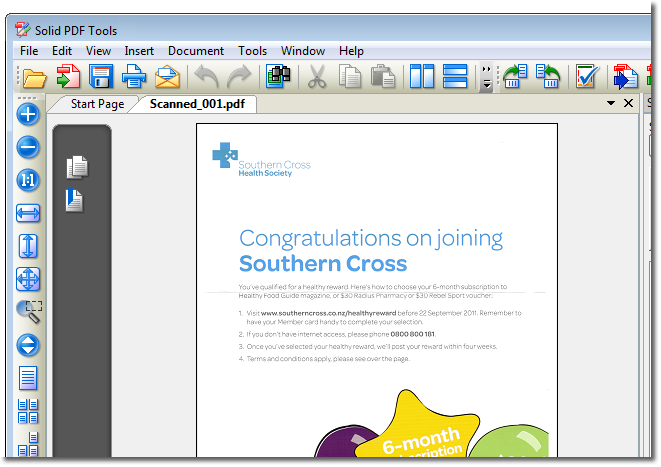
Scan to PDF : สแกนเอกสารในรูปแบบกระดาษ A4 ให้กลายเป็นไฟล์เอกสารอิเล็กทรอนิกส์ "PDF" ได้ทันที ไม่ต้องไปผ่านโปรแกรมอะไรให้วุ่นวายใจ ประหยัดเวลาได้ดีจริงจริง!
ฯลฯ
Release Date : 29/10/2011

ScreenShots
Scan to PDF

Getting Started

Scanning Features

Text Features

PDF Output Features

Scanning Your Document

Preview

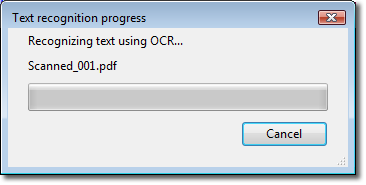
OCR (Optical Character Recognition)

Final Result
 

Operating systems : Windows 7 / Vista / 2003 or XP (32 and 64 bit versions)
ภาษาอังกฤษ ดูคุณสมบัติกันแบบละเอียดได้เลยครับ
Features : คุณสมบัติของโปรแกรม
Convert PDF to Word and Content Extraction :
* PDF to Word Converter. Convert your PDF files to Word do-cuments for easy editing.
* PDF to Excel Converter. Convert tables from your PDF files to Microsoft Excel spreadsheets. Select pages or entire do-cument.
* Office Open XML .docx Format. Converts PDF files to Word .docx format without requiring Microsoft Word to be installed.
* Office Open XML .xlsx Format. Converts PDF files to Excel .xlsx format without requiring Microsoft Excel to be installed.
* Include Non-table Data in Excel Sheets. PDF to Excel conversion now offers the option to include non-table data.
* Combine Multiple PDF tables onto 1 Excel Sheet. PDF to Excel conversion now offers the option to combine tables onto a single Excel sheet.
* PDF to PowerPoint Converter. Advanced do-cument reconstruction converts PDFs to PowerPoint presentation files. Office Open XML .pptx filter. Converts PDF to PowerPoint without requiring Microsoft PowerPoint to be installed.
* Text Annotations to Word. Recover text markup in Word.
* Extract Data. Use this to extract data from PDF files to .CSV files. User options include : specify delimiter / line terminator and encoding to be used during extraction.
* File | Export. Export PDF file content to any of the supported conversion formats (.docx / .doc / .rtf / .xlsx / .xml / .pptx / .html or .txt).
* Scanned PDF Recovery. Convert legacy scanned PDF files into well formatted editable Word do-cuments. (Works with Microsoft Office 2003 or Office 2007 ONLY)
* Scan to Word. Scan directly from paper to well formatted / editable Word do-cuments. (Works with Microsoft Office 2003 or Office 2007 ONLY)
* Selective Extraction. Select the content you wish to convert to Word directly from the PDF page. Formatting / styles / layout preserved.
* WYSIWYG Content Extraction. Convert selected text / tables or images from a PDF file. Creates formatted content in Word / tables in Excel or image files.
* PDF to HTML Converter. Use advanced do-cument reconstruction to convert PDF to formatted W3C compliant XHTML. Figures out columns. Removes headers / footers and images.
* PDF to Text Converter. Use advanced do-cument reconstruction to extract flowing text content from PDF. Figures out columns. Removes headers and footers.
* Quality Conversions. No need to waste hours reformatting and reworking your converted Word files.
* Headers and Footers. Advanced options for converting or removing headers and footers.
* Table Recovery. Superior reconstruction of bordered and borderless tables as table objects with formatting in Word.
* Form Recognition. PDF form fields are recognized and converted into text boxes for easy editing.
* Rotated Text Recovery. Convert text from your PDF no matter which way it’s oriented.
* Hyperlink Detection. URL hyperlinks in the original PDF are automatically transferred into the new Word do-cument.
* Convert From Explorer. One click to open PDF do-cument into Word from Windows Explorer.
Scanning and Archiving :
* TIFF to PDF Converter. Convert legacy scanned TIFF do-cuments into fully searchable and archivable PDF/A-1b do-cuments.
* Scan to PDF. Scan paper do-cuments into archivable PDF/A-1b do-cuments. Searchable thanks to OCR text layer.
* OCR for Search. Add searchable text layer. Easy for indexing and archiving legacy and paper do-cuments. (Works with Microsoft Office 2003 or Office 2007 ONLY)
* PDF to PDF/A Converter. Convert existing normal or image PDF files into fully searchable ISO 19005-1 compliant archivable do-cuments.
* Validate PDF/A. Verify ISO 19005-1 compliance for existing PDF do-cuments and repair common issues.
* Standard PDF/A Compliance Reports. Solid PDF Tools creates standard PDF/A validation reports as per the specifications from the PDF/D Consortium.
PDF Editing :
* Text Correction. Simply click on existing text in your PDF and edit it directly.
* Edit Objects. Select one or more objects in your PDF page. Move / rotate / resize or delete. Handle-based editing.
* PDF Creation. Simply drag and drop. Easily create PDFs from your do-cuments. WYSIWYG user interface.
* WYSIWYG User Interface. Multiple do-cument PDF UI for page-level manipulation operations.
* Watermarks. Pre-defined and custom watermarks. Text stamps / images or PDF overlays. Electronic letterheads.
* Combine. Combine multiple do-cuments into a single PDF file. Combine PDF files.
* Rearrange Pages. Use drag and drop to rearrange page order in a PDF file or between multiple files.
* Extract Pages. Extract pages from a PDF file as a single new PDF or as multiple new PDFs for each page.
* Full Search. Fast text search of multiple PDF files. Navigable list of results.
* Batch-Process Conversions. Save time by using batch conversion palettes in the UI or using s--cripts from the command line.
PDF Creation :
* Print to PDF. Create PDF files easily from any Windows-based program.
* Password-Protect your PDFs. You can restrict who can view / edit / copy / print or add comments to your do-cument.
* 256 AES Encryption. This new high level encryption is supported in Adobe Acrobat 9 or higher. 128-bit RC4 or AES encryption algorithms also supported.
* Set PDF Permissions. Control which users can read / print / edit / copy or comment your PDF files.
* Archive Using PDF/A. Create PDF/A-1b do-cuments which are fully compliant with ISO 19005-1 archiving standards.
* 64 bit Platform Support. Solid do-cuments products now run seamlessly on Windows XP 64 / Windows Vista 64 and Windows 7 x64.
* Set do-cument Properties. Define Title / Author / Subject and Keywords to help organize your do-cuments.
* Custom Page Settings. Create PDF files with custom pages sizes / margins and orientation.
* Reduce File Size. Keep your PDFs small with our compression options. Optimize file size for Web or print while preserving an appropriate level of quality.
* Acrobat Reader Settings. Set default view including page layout / initial zoom and page thumbnail view.
* PDF Bookmarks from Office. Automatically create PDF bookmark outlines from Word / PowerPoint / Excel or Publisher do-cuments.

บทความจาก ไทย ฟรีแวร์ By Atomcamfrog

Sony Vegas PRO Ver. 11.0 Build 424


Sony Vegas PRO Ver. 11.0 Build 424
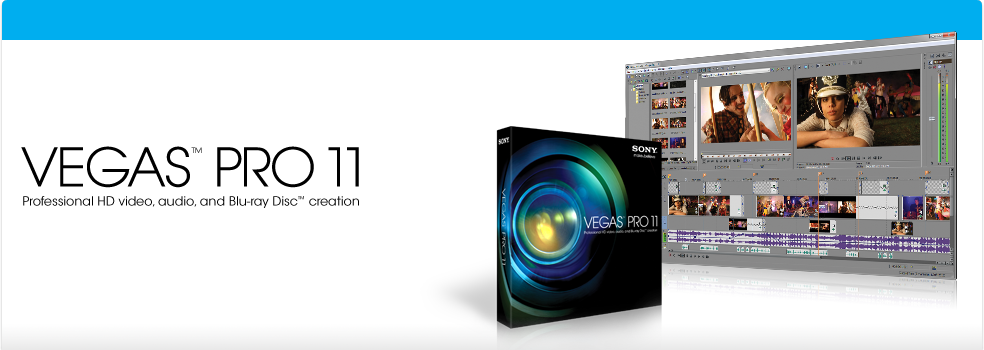
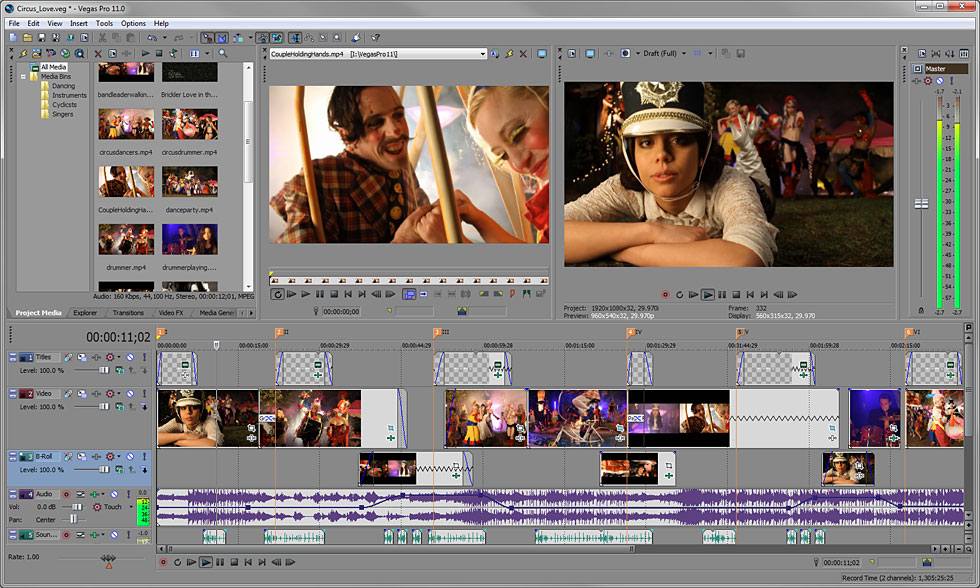
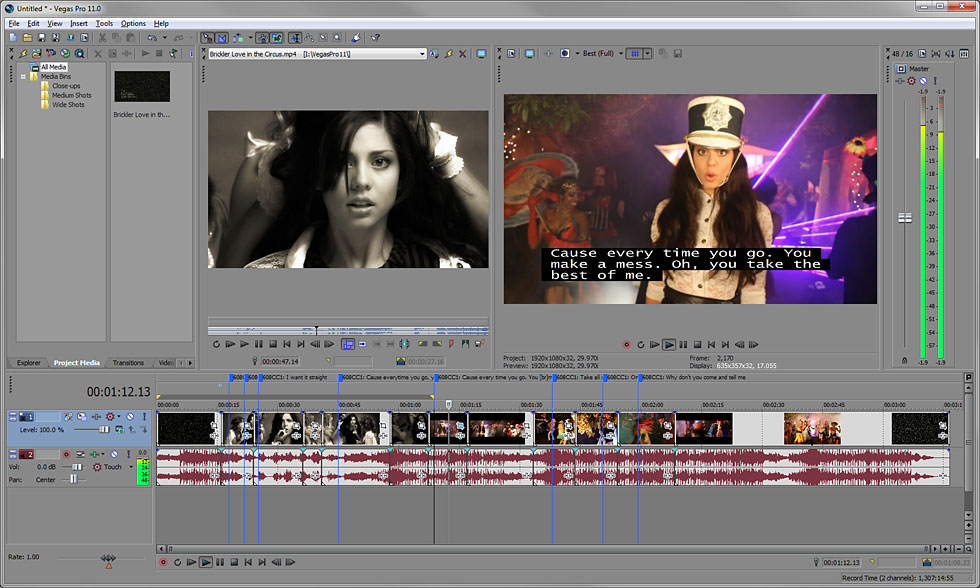
Sony Vegas  ใช้ตัดต่อวีดีโอได้ทุกรูปแบบ ไม่ว่าตัด..ต่อ..รวม..แยก..ซ้อน..ใส่ Transition..ใส่ Video FX ต่างๆ ตลอดจนการเพิ่มเทคนิคพิเศษให้งานวีดีโออีกนับร้อยนับพันรูปแบบ พูดได้คำเดียวว่า คุณอยากทำอะไรกับไฟล์วีดีโอที่มีอยู่ ทั้งทำงานระดับพื้นฐานไว้ดูเล่น หรือทำงานระดับมืออาชีพเพื่อนำไปเผยแพร่ผ่านสื่อจริงๆ โปรแกรม Sony Vegas ช่วยจัดการให้ได้หมด
Release Date : 01/11/2011

ScreenShots
Vegas Pro 11

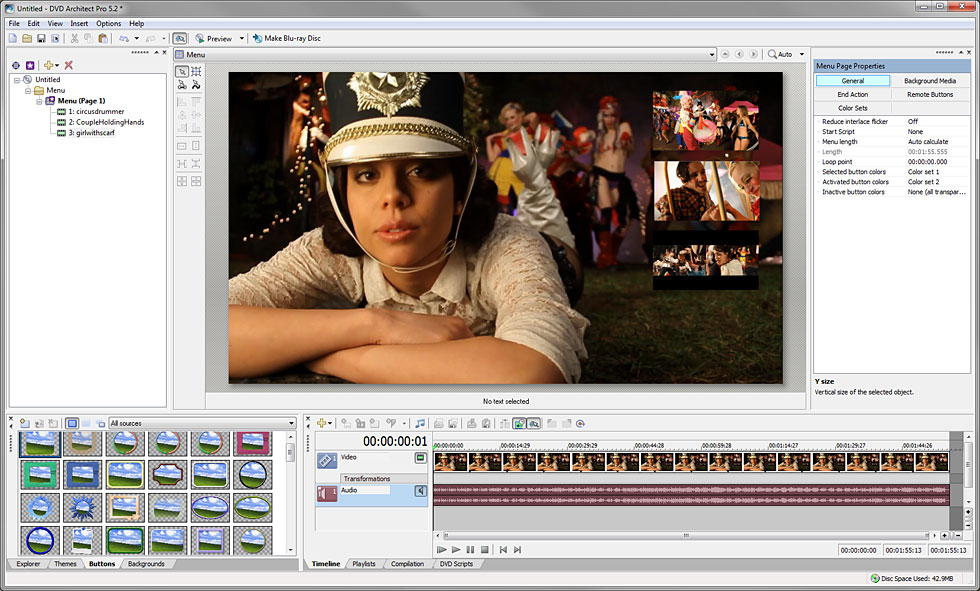
DVD Architect Pro 5.2

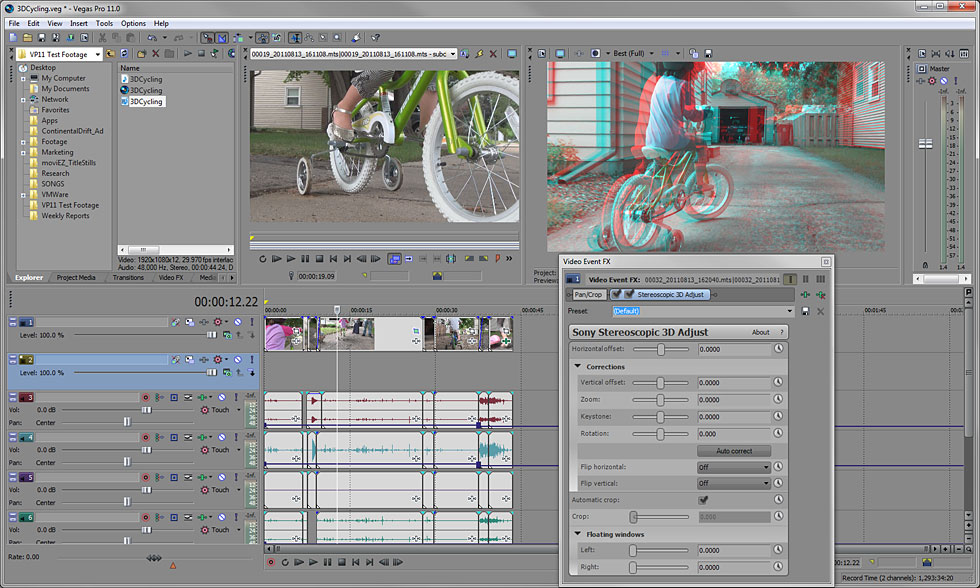
3D Editing

Closed Captioning

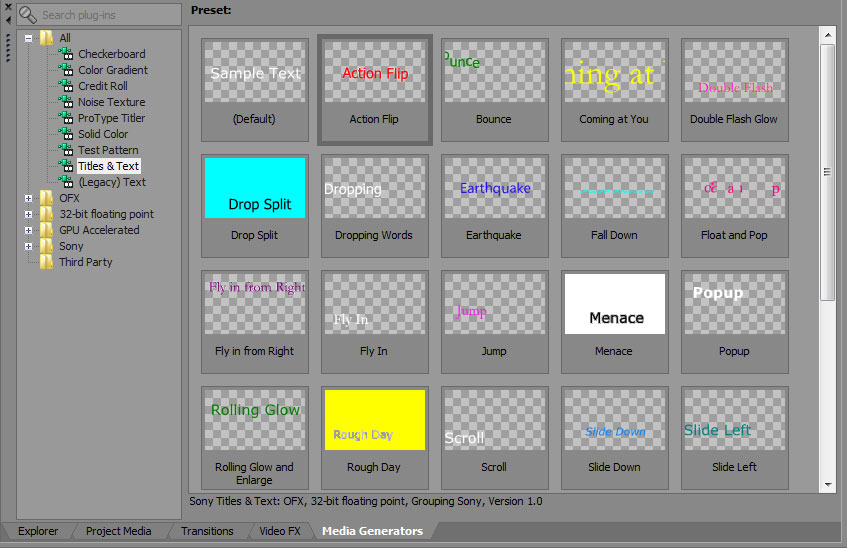
Text Tools

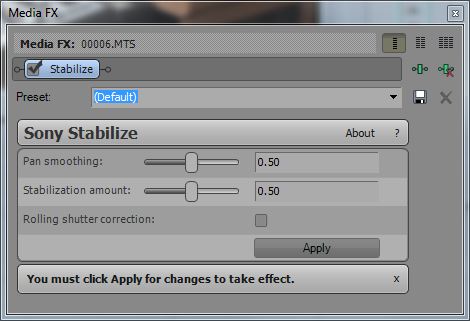
Image Stabilization

Multicamera Editing

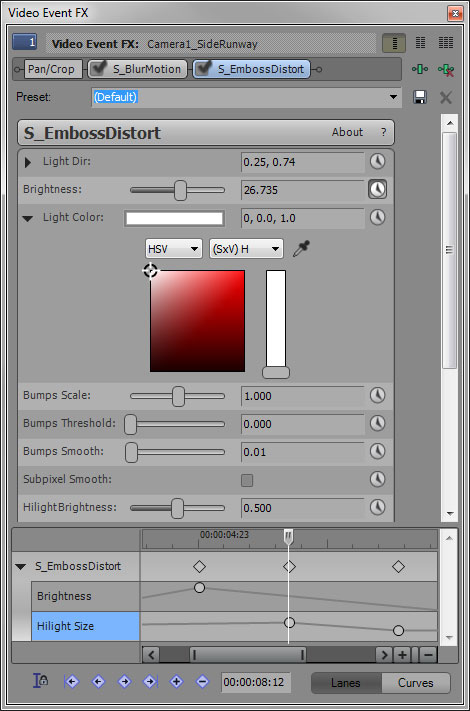
Enhanced Video Plug-in Architecture

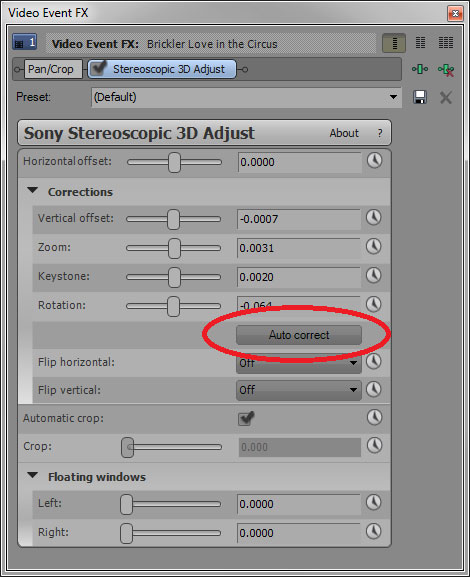
Auto Correct Footage
 

OS : Windows Vista SP2 or Windows 7
ภาษาอังกฤษ ดูคุณสมบัติกันแบบละเอียดได้เลยครับ
Overview : รายละเอียดของโปรแกรม
Precise editing tools
Edit SD / HD or 3D video with drag-and-drop functionality / extensive editing tools and incomparable video effects. Features include stereoscopic 3D support / multicamera editing / 32-bit floating-point video processing / video stabilization / customizable window layouts / HDV / AVCHD / RED / SDI / XDCAM / HDCAM SR support and A/V synchronization detection and repair.
GPU Accelerated Performance
Working with OpenCL supported devices from AMD and NVIDIA Vegas Pro 11 leverages GPU acceleration for video FX / transitions / compositing / pan / crop / track motion and encoding providing a significantly faster workflow. The addition of GPU acceleration streamlines the video editing experience in Vegas Po 11 by providing playback performance gains and faster rendering times ideal for industry professionals who work on tight deadlines where every second counts.
Stereoscopic 3D editing
Create breathtaking stereoscopic 3D projects with the same ease and agility as the Vegas Pro 2D workflow. Vegas Pro 11 provides the ability to easily import / adjust / edit / preview and output stereoscopic 3D media - all using industry-standard professional delivery formats including single or dual files with side-by-side/top/bottom or line-alternate encoding. Anaglyphic monitoring and output are also supported.
NewBlue Titler Pro
Create 3D titles with Titler Pro an exceptional new titler from NewBlueFX. Titler Pro enables users to add animations / professional-style templates and effects to their titles. Work in real-time with GPU-accelerated effects and transitions and easily move text on the X / Y and Z axes all within the Vegas Pro 11 workspace. Titler Pro is the perfect addition to the stereoscopic 3D toolset.
Superior audio control
Access unlimited audio tracks 24-bit/192 kHz audio / punch-in recording / 5.1 surround mixing / effects automation and time compress/expand while applying customizable real-time audio effects like EQ / Reverb / Delay and more. Expand your audio processing and mixing options with supported third-party VST audio plug-ins. Use the Mixing Console for precise audio control.
Powerful Blu-ray Disc authoring
Burn movies to Blu-ray Disc directly from the Vegas Pro 11 timeline for high-definition delivery. Use DVD Architect Pro software (included with the Vegas Pro 11 collection) to author DVDs or Blu-ray Discs with subtitles / multiple languages and numerous playback menus. Preview and test your work in real time. Apply Brightness and Contrast / Crop and Anti-Flicker filters. Add high-quality preset backgrounds and themes to add life to any project. Set CSS and Macrovision copy-protection flags for masters.
Professional 32- and 64-bit workflow
The Vegas Pro 11 interface provides a fully customizable workspace for accomplishing a wide range of production requirements. Dock multiple windows across multiple monitors and save your layouts to fit specific editing tasks. Nest Vegas Pro projects within the timeline / customize and save keyboard commands and use application s--cripting to automate repetitive tasks.
Broad format support
Vegas Pro 11 software natively supports the newest professional camcorder formats including XDCAM / NXCAM / AVCHD and RED. Vegas Pro 11 software also includes support for still images greater than one gigapixel in resolution. Use the Pan and Scan tools to create stunning movie sequences from these large pictures while maintaining beautiful HD resolution.
- - - - - - - - - - - - - - - - - - - - - - - - - - - - - - - - - - - - - - - - - - - - - - - - - - - - - - - - -
Vegas PRO 11 - Professional HD video / audio and Blu-ray Disc creation
- - - - - - - - - - - - - - - - - - - - - - - - - - - - - - - - - - - - - - - - - - - - - - - - - - - - - - - - -

บทความจาก ไทย ฟรีแวร์ By Atomcamfrog

Thursday, December 3, 2009

Sumatra PDF Ver. 1.0.1


Sumatra PDF Ver. 1.0.1
         • โปรแกรมอ่านและสั่งพิมพ์ไฟล์ PDF ขนาดมินิ สำหรับผู้ที่ใช้วินโดวส์  ถ้าใครเบื่อ Adobe Reader ที่โหลดช้าและกินหน่วยความจำเหลือเกิน กระผมขอแนะนำ Sumatra PDF เลยครับ ขนาดตัวติดตั้งเพียงแค่ 1 MB เท่านั้น (ในขณะที่ Adobe Reader นี่ ขนาดใหญ่กว่าถึง 22 MB!)
         • แน่นอนว่าตัวเล็กๆ อย่างนี้ ความสามารถคงจะสู้ Adobe Reader ไม่ได้แน่ โดยเจ้าโปรแกรม Sumatra PDF ทำได้แค่เปิดไฟล์ PDF ขึ้นมาอ่านและสั่งพิมพ์ให้เราเท่านั้น (แต่ปกติเราก็ใช้กันอยู่แค่นี้นี่นา จริงไหม!!)
==> อยาก Preview ไฟล์ PDF แบบเบาเบา เชิญรับไปทดสอบกันได้เลยครับ!! ....

ScreenShots

.
..

.
..

Homepage : http://blog.kowalczyk.info/software/sumatrapdf/
OS Supports : Windows XP/2003/Vista
ภาษาอังกฤษ ดูคุณสมบัติกันครับ
Sumatra can do for you : ทำไรได้มั่ง
* open PDF files via menu
* open PDF files via drag & drop
* set different zoom levels via menu
Changes in Sumatra PDF 1.0.1 : เปลี่ยนแปลงอะไรในเวอร์ชั่นนี้บ้าง
======================
* many memory leaks fixed (Simon Bunzli)
* potential crash due to stack corruption (pointed out by Christophe Devine)
* making Sumatra default PDF reader no longer asks for admin priviledges on Vista/Windows 7
* translation s
_____________________________________________________________
Sumatra PDF is a slim  free  open-source PDF viewer for Windows!
_____________________________________________________________

Credit : คนที่คุณก็รู้ว่าใคร

Saturday, April 18, 2009

Registry Victor Ver. 5.0.4.7


Registry Victor Ver. 5.0.4.7
โปรแกรมที่รวบรวมวิธีการแก้ปัญหาที่เกิดจากการรวนต่างๆ ของคอมพิวเตอร์ มีเครื่องมือให้เลือกใช้เพียบเลย ..แปปเดียวคอมพิวเตอร์คุณจะเสถียรสุดสุด  ^__^
Release Date : 16/04/2009

ScreenShots
Main Interface

Scanning

Scan Results

Fix Results

Evidence Cleaner

Junk Cleaner

BHO Manager

System Optimizer

Windows

Help

Homepage : http://www.registryvictor.com/
Operating System : Windows NT/2000/2003/XP/Vista
ภาษาอังกฤษ ดูคุณสมบัติกันแบบละเอียดได้เลยครับ
Substantially Increase the Speed and Stability of PC : ปรับแต่งสปีดของคอมพิวเตอร์
Registry Optimizer
Performs an all-around scan of your Windows registry to detect and fix invalid references and incorrect errors which also helps streamline your pc registry without expensive hardware upgrades. Your pc will act like new and run much faster after using this tool.
Privacy Safeguard
Protects your privacy by ensuring all traces of your online Internet and computer activities permanently to be erased and unrecoverable on your PC which speeds up system performance and retrieves more hard drive space.  
Junk File Remover
Scans and removes almost all junk files from system to provide more free space on your hard drive and allow application to run faster and more efficiently. This tool will help to keep your system free of clutters and clean up all the unwanted data and information.
File Shredder
With three different shredding levels file shredder will shred or destroy unwanted files beyond recovery. It completely removes a file or folder or drive information from your computer making it nearly impossible to restore again.  
PC Optimizer
PC Optimizer Is an optimizer toolkit containing Startup Manager  Uninstall Manager  System Optimizer and Service Optimizer. Besides well supervising the startup and un-install programs it also optimizes network speed  disk  desktop  files and system service to peak performance.
IE Doctor
Contains a vast number of useful tips and tricks to manage Internet Explorer s windows when surfing on Internet. It customizes your Internet properties restores Internet files and manages browser help objects which greatly streamlines your surfing experience.
**************

Credit : คนที่คุณก็รู้ว่าใคร
===============================================================

Sunday, April 5, 2009

Raxco PerfectDisk 10 Professional


Raxco PerfectDisk 10 Professional Ver. 10.00 Build 104
Raxco PerfectDisk  เป็นโปรแกรมที่ใช้ในการจัดเรียงข้อมูล (Defragmentation) บน Harddisk ระดับมืออาชีพเลยทีเดียว ซึ่งสิ่งที่คุณจะได้รับจากโปรฯ นี้ แน่นอนว่าเรื่องความเร็ว เร็วกว่าการใช้ Tools ของวินโดวส์เองชัวร์อยู่แล้ว ด้านคุณภาพโปรๆ นี้ ก็กินขาดเห็นๆ แถมมี Tools อย่างอื่นรองรับการทำงานอีกมากมาย รับรองว่าคุณจะเข้าถึงข้อมูลต่างๆ บนคอมพิวเตอร์ของคุณได้รวดเร็วกว่าเดิมแน่นอน พบกับประสบการณ์ที่แตกต่างไปจากการ Defragmentation แบบเดิมๆ ได้แล้ว พร้อมให้คุณพิสูจน์ได้ด้วยตัวคุณเองพร้อมกันวันนี้  Cheer!!  ^__^

ScreenShots

.
..

.
..

.
..

Homepage : http://www.perfectdisk.com/products/home-perfectdisk10-professional/learn-more
Design for : Windows 2000 Server / Windows XP / Windows Vista / Windows 7
ภาษาอังกฤษ แปลกันเอาเองนะครับ ตาลาย เหอ เหอ!!
Key Features : คุณสมบัติของโปรแกรม
Patented SMARTPlacement – A Smarter Defragmenting Process
PerfectDisk 10 Professional s patented SMARTPlacement feature is the most sophisticated defragging solution available. It identifies the files you use most and then organizes them according to your unique usage patterns. This comprehensive process yields faster subsequent defrag passes  quicker computer boots  slower rates of fragmentation  reduced resource consumption and improved performance of desktops and laptops.
Complete Free Space Consolidation
Get the largest piece of consolidated  contiguous free space possible. PerfectDisk 10 Professional s exclusive Space Restoration Technology ensures that new files are created contiguously. This combined with industry-leading SMARTPlacement defrag features means optimal performance of desktops and laptops.
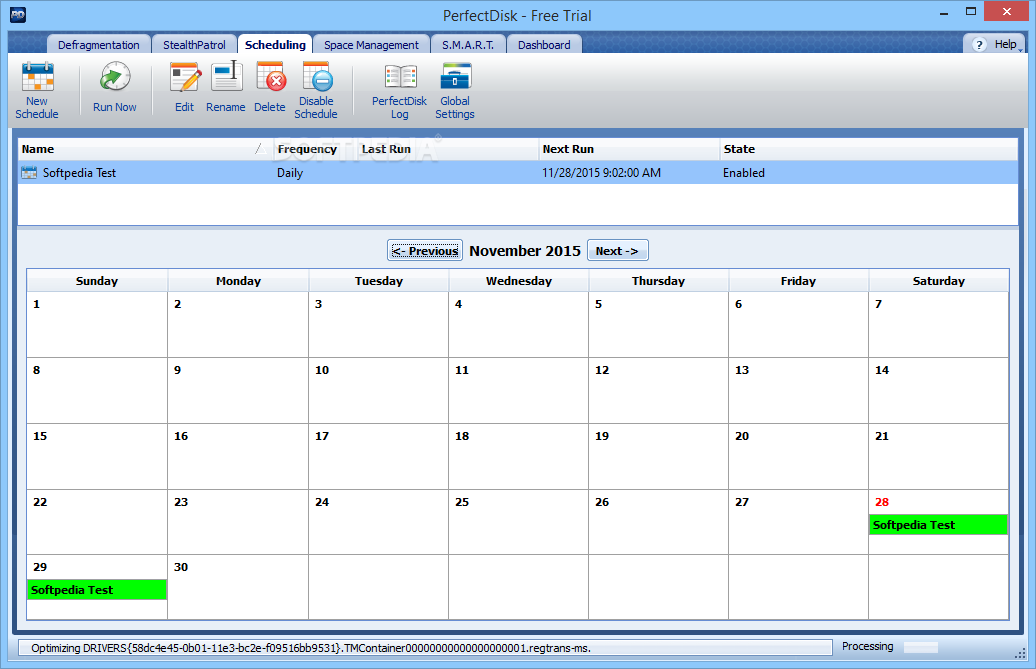
AutoPilot Scheduling
Defragment your systems according to your unique operations and needs. Daily  weekly  or when the screensaver is on. AutoPilot Scheduling let you defragment your PCs and laptops according to your unique needs.
Defrag During System Idle Times with Automatic StealthPatrol
Work uninterrupted. Helping your office work at optimum efficiency  PerfectDisk 10 Professional s new StealthPatrol feature lets you schedule defrags only during computer idle times.
Single-pass Defrag
Unlike typical defraggers  PerfectDisk 10 Professional completely defrags your virtual drives (all files and metadata) and consolidates free space in just one pass – no matter how large or fragmented the system. With revolutionary minimal-free-space requirement  you can defrag an entire drive with as little as 1% free space.
Selected Files Defrag
PerfectDisk 10 Professional innovative Selected Files Defrag feature gives you complete control over the files you defrag – from a single file  to selected files  to the entire drive.
Full-Scale Central Management Options
Manage defragmentation seamlessly across your entire enterprise. Add the PerfectDisk 10 Enterprise Console (sold separately) for enhanced deployment  scheduling  reporting and virtualization capabilities – all accessed through a simple administrative interface.
New feature highlights of the existing PerfectDisk product line include : คุณสมบัติเด่นๆ
• Support for Windows 7
• An improved user interface to enhance usability and the user experience
• New StealthPatrol automatic background defragmentation with intelligent self-adjustment to conserver resources
• Improved performance – up to 30% faster defragmentation and free space consolidation
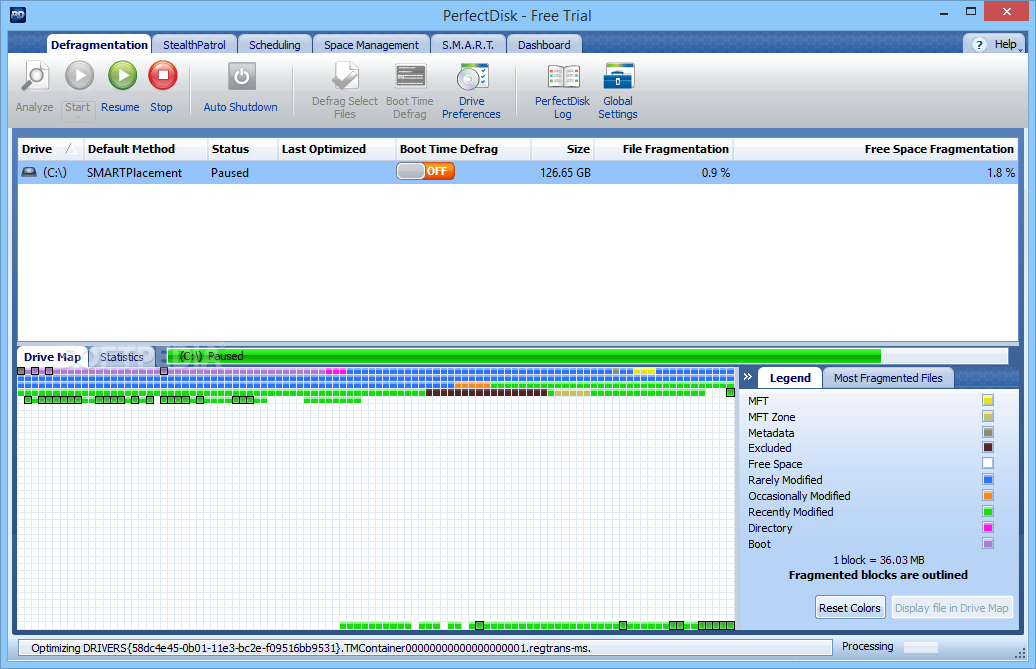
• Exclusive new Space Management reports that provide graphical views of disk drive file and folder information
• New unlimited Pause capability
• New scheduling capabilities for VMware Workstation and VMware Server virtual guest machines
What s New in PerfectDisk 10 : มีอะไรใหม่ๆ ในซีรีส์นี้บ้าง
* Improved performance. Saving you time and resources  PerfectDisk s engine now runs up to 30% faster.
* Exclusive to PerfectDisk – Smart automatic StealthPatrol. Working during computer idle times  StealthPatrol now intelligently self-adjusts to conserve valuable system resources.
* Exclusive to PerfectDisk – Complete space management reports. PerfectDisk offers a host of new reports that enable you to quickly analyze space distribution of file and folders.
* Faster Free Space Consolidation. PefectDisk s industry-leading free space consolidation features now work faster than ever before.
* Enhanced AutoPilot Scheduling. A wide range of scheduling options gives you complete control and flexibility over your defrag schedule.
* Enhanced user interface. Easier to use than ever before  PerfectDisk s user-friendly interface includes tabbed navigation  setup wizards and graphics of your drive s fragmented files.
Changes in Build 10.00.104 : เปลี่ยนแปลงอะไรในเวอร์ชั่นนี้บ้าง
1. Tray icon hangs on red.
2. PerfectDisk for Exchange shows very slow GUI response when large number of stores.
3. Window size/location changes after scheduled defrag.
4. Vrtual Enterprise Edition - make it smart enough to know when it has been pointed at a computer that is NOT its host.
5. StealthPatrol settings are too low.
6. Daily schedule does not display error "Invalid Maximum duration value".
7. What do dark blocks mean?
8. "Connect to remote computer" doesn t support having "." in username.
9. Symbolic link causes Duplicate Finder to delete original files.
10. Selected Files dialog does not display file system tree for non-system partition.
11. Drive table on Recycler tab opens scrolled down.
12. Add to config.ini ability to disable check for updates.
13. Method of recommended defrag is not correct for exFAT file system.
14. Multiple Demo welcome wizards.
15. Remove unwanted line from details of Daily schedule.
16. Progress bar on File Duplicates pane need some spacing.
17. Clicking of defragmentation recommendation button while analizing causes error.
18. StealthPatrol schedules created from Welcome wizard and Auto Pilot have different default period.
19. Find File dialog shows a file with no extension with a folder icon.
++ รางวัลการันตีพอสมควรเลยจ้า

- - - - - - - - - - - - - - - - - - - - - - - - - - - - - - - - - - - - - - - - - - - - - - - - - - - - - - - - - - - - - - - - -

Credit : คนที่คุณก็รู้ว่าใคร

Saturday, April 4, 2009

Alcohol 120% Ver. 1.9.8.7530


Alcohol 120% Ver. 1.9.8.7530
<<< ซอฟต์แวร์สารพัดประโยชน์ สำหรับเอาไว้จัดการ CD and DVD ได้ทุกรูปแบบ ..สารพัดประโยชน์ยังไงจะสาธยายให้ฟังเป็นข้อๆ ครับผม! >>>
• สามารถคัดลอกแผ่นที่ลุยได้ทุกระบบป้องกัน ทำให้คุณสร้างสำเนาจากแผ่นหนัง..เกมส์..เพลง ฯลฯ ลิขสิทธิ์อะไรต่อมิอะไรได้เยอะแยะเลยครับ!
• สร้างไดรฟ์จำลองเพื่อเอาไว้เล่นเกมส์ โดยไม่ต้องเสียตังค์ซื้อแผ่นเกมส์หรือแผ่นเปล่าเพื่อเอามาไรท์แต่อย่างใด ..ประหยัดดีม่ะ?
• จะดูหนัง หรือฟังเพลง ก็ mount เอาจาก Images Files ได้เลย สะดวกดีมั่กมั่ก!
• มีฟังก์ชั่นการเบิร์นนิ่ง CD / DVD และ Blu-ray disc ติดมาให้ด้วย สำหรับเวอร์ชั่นใหม่ๆ โดยไม่ต้องไปง้อโปรแกรม Burning ต่างๆ
• ฯลฯ
Release Date : 02/04/2009

ScreenShots

.
..

.
..

.
..

.
..

.
..

Homepage : http://www.alcohol-software.com/
Supported OS : Windows 95/98/ME/NT/2000/XP/Server2003/XP Professional x64 Edition/Server 2003 x64/Vista 32x and 64x operating system.
ภาษาอังกฤษ ดูคุณสมบัติกันแบบละเอียดได้เลยครับ
Features : คุณสมบัติของโปรแกรม
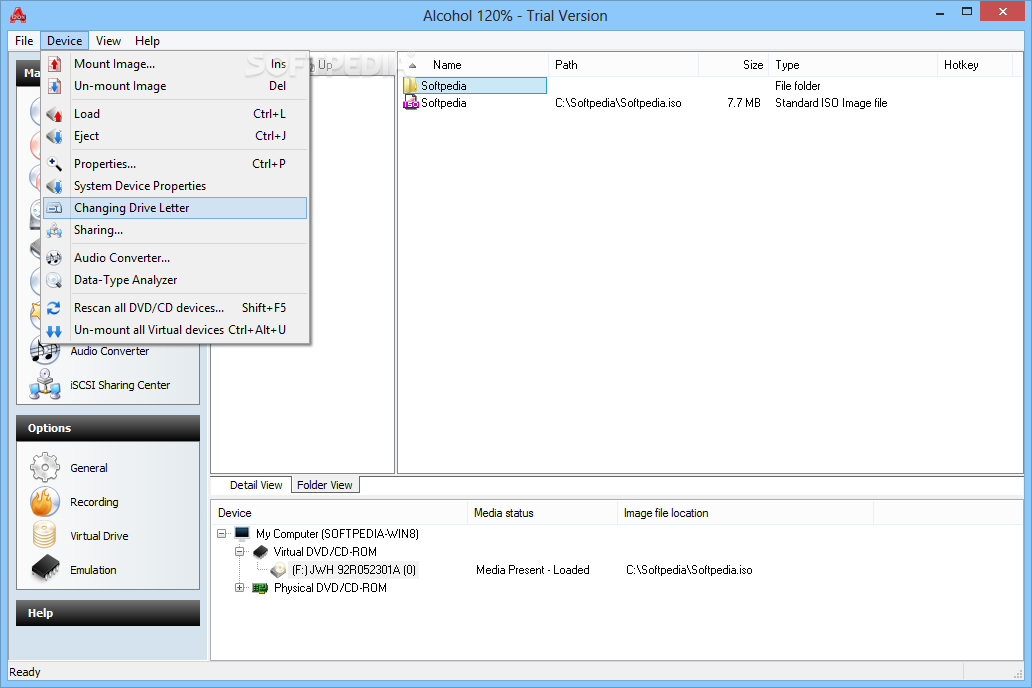
Alcohol 120% : enables you to make a duplicate back-up to recordable media of nearly all your expensive Game/Software/DVD titles and/or an image that can be mounted and run from any one of Alcohol s virtual drives.
No other software : available enables you to create up to a staggering 31 virtual drives allowing you to run your game images at over 200x faster than from a conventional CD-ROM. Alcohol 120% is a powerful utility that uses a unique combination of options to ensure a perfect back-up every time.
All you need is a PC : combined with a CD or a DVD burner. No more replacing your expensive original discs due to loss theft scratches or other media imperfections. Your duplicate works just like the original  your entire collection can be archived and your investment protected.
In the home : Have you had experiences with the common conditions of CDs/DVDs? They can easily get scratched damaged broken lost or even stolen. Alcohol provides you with peace of mind and protects your investment.
Your original games/program discs : can be safely stored away. Alcohol-created images mean that you always have your expensive media stored safely on your hard drive for instant retrieval at the click of a button. No more searching for the correct game disc or software application install disc everything is at your fingertips.
You can now : for instance simultaneously play your favourite game and bring up your route planner without having to eject and reload any physical discs The 31 virtual drive ability of Alcohol means you can have the equivalent of a staggering 31 CD-ROM drives in your Home PC all instantly accessible. You can simply and quickly run your Disc image at around 200 times faster than that of a conventional CD-ROM drive. If you need a program or CD it is immediately there - always ready to use!
At the office : Program discs and many other applications generally require the original disc to be in the computer s CD-ROM drive. This restricts the amount of people in your office who can have access to the same software at the same time without the cost of additional discs. Alcohol s virtual drives resolve that problem for you. No more hunting around the offices for that elusive disc you need to run your application everything you require is just a click away.
With Alcohol : you can store your CD images on your office server your colleagues and employees at their respective networked workstations will never need to come asking for a CD again they will not even require an expensive CD-ROM drive installed in their workstation PC! A simple click is all that is required for them to have full access to any disc image they require for their day to day work. Your valuable CDs can be safely kept under lock and key.
Does your company have a promotional CD for it s customers? : Original pressed discs are expensive using the Alcohol 120% writing engine you can copy the original to inexpensive blank discs for distribution to your customers and keep your overheads down.
Alcohol software : offers unrivalled usage to people from all walks of life regardless of if you are a hardened game player busy school teacher salesman IT manager student etc. Alcohol has a niche in all your everyday computer needs. Let Alcohol help you to help yourselves and give you the peace of mind you deserve when it comes to expensive PC media.
Changes in version 1.9.8.7530 : เปลี่ยนแปลงอะไรในเวอร์ชั่นนี้บ้าง
- UPDATE Read and Write engines
- UPDATE Language files
- UPDATE Devsupp.dll offering support for more drives
- UPDATE A.C.I.D to V 1.1.9040
- FIX User reported bugs
===============================================

Credit : คนที่คุณก็รู้ว่าใคร